
Can AI Build a Professional Website? Here’s What 2026 Testing Actually Shows

Can AI build a professional website, or does it just spit out a glorified template with your logo slapped on it? That’s the question keeping a lot of small business owners up at night before they commit a Saturday to trying one of these tools.
Here’s the honest answer: yes, AI can now build a genuinely professional-looking site — Wix AI and Hostinger AI both produce clean, publishable multi-page sites from a single prompt in under three minutes. But “professional” isn’t a single finish line. It’s a spectrum, and AI gets you most of the way there fast.
The last stretch — brand voice, custom user flows, and tricky integrations — still tends to need a human hand. If you’re deciding whether to trust an AI builder with your business’s first impression, this breaks down exactly where it shines and where it quietly falls short.websitedepot+2
Quick Answer
Yes — in 2026, tools like Wix AI and Hostinger AI can generate a site that looks professionally designed, with clean layouts, decent typography, and mobile-friendly structure, straight out of the box. The catch is depth. AI handles the visual 80% well but struggles with the remaining 20%: nuanced branding, complex custom features, and long-term flexibility as your business grows. For a simple service business site, that 80% might be more than enough.tusharbuilds+3
Affiliate Disclosure
This article contains affiliate links to Hostinger and Wix. If you sign up through these links, I may earn a small commission at no extra cost to you. I only recommend tools I’ve actually tested.
Quick List: What “Professional” Really Means Here
Before comparing tools, it helps to define what you’re actually judging.
- Visual polish: Clean spacing, consistent fonts, no template-y clip art vibes
- Technical performance: Fast load times and decent Lighthouse/SEO scores out of the gate
- Brand fit: Does the site actually sound and feel like your business, not a generic version of it
- Flexibility: Can you customize it later without hitting a wall
- Ownership: Can you export or move your site, or are you locked into one platform
Most AI builders nail the first two. Fewer nail the last three — and that’s exactly where the “is it really professional” doubt creeps in.
What 2026 Testing Actually Found: Can AI Build a Professional Website?
Independent 2026 tests found that AI builder output quality has fragmented — the gap between the best and weakest tools is now measurable, not just cosmetic, showing up in Lighthouse scores, semantic HTML, and accessibility. In plain English: some AI builders genuinely produce sites that would pass for professionally coded work, while others still generate clunky, hard-to-crawl pages.
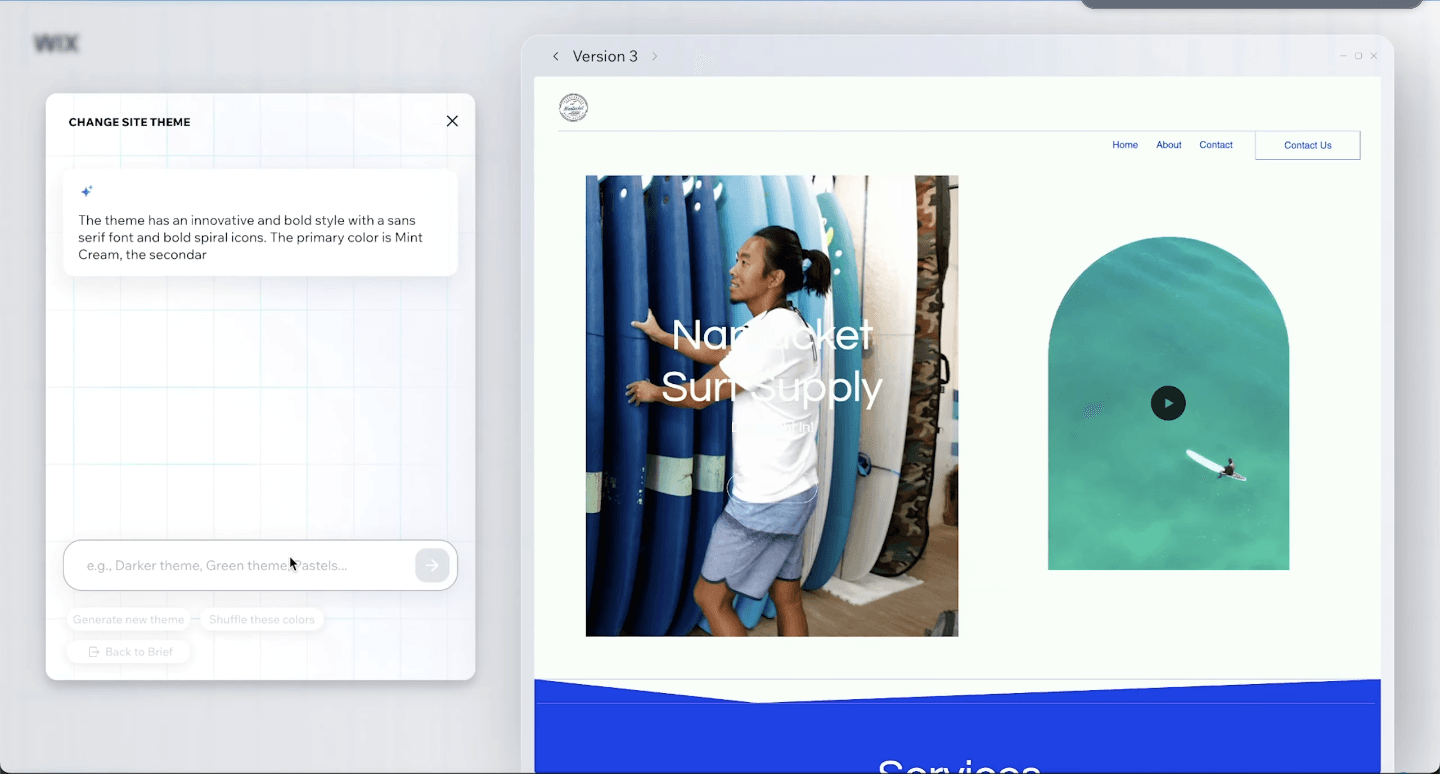
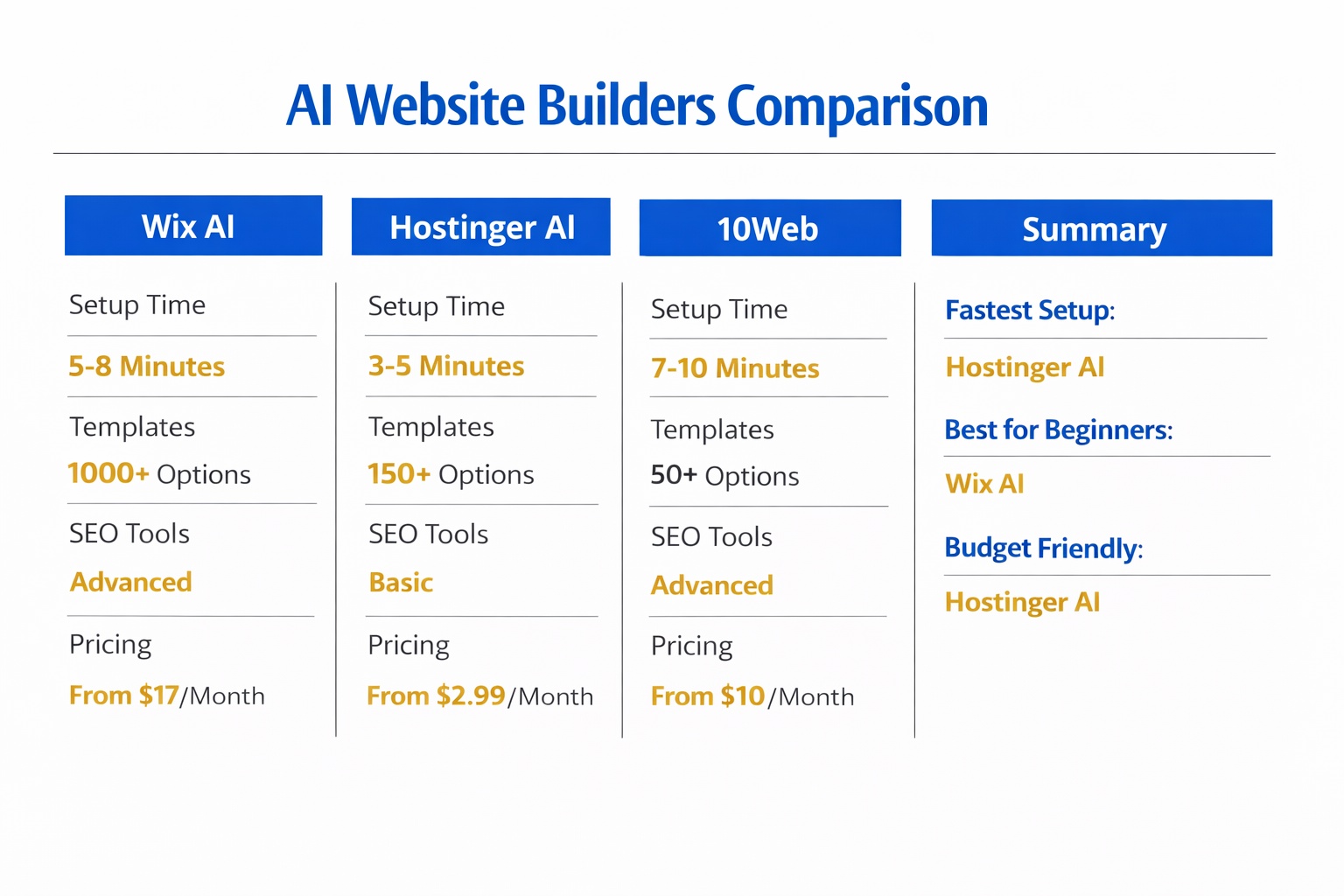
Wix AI consistently comes out as the most polished all-in-one output, with a huge template library and app marketplace, though pricing scales fast once you add e-commerce or remove branding, running anywhere from free with ads up to $159/month depending on the plan. Hostinger AI, meanwhile, is described as extremely competitive on price, bundling hosting, AI writer, and logo maker into plans from $2.99 up to about $11.99/month depending on tier.
I’ve personally used Hostinger for over two years, including its AI site generator. Here’s the catch with my own testing: the initial AI-generated layout looked genuinely clean and modern, and it took me under 10 minutes to get a five-page site live. But the template selection is smaller than Wix’s, and moving sections around or building a non-standard layout took more manual tinkering than the marketing demos suggest.
10Web takes a different approach, generating a full AI-built WordPress site from a text prompt in under two minutes, with pricing running from around $10/month on the Personal tier up to $60/month on the Agency tier. It scores well on SEO and PageSpeed because it inherits WordPress’s ecosystem of over 60,000 plugins. Framer, on the other hand, isn’t really a full generator — it’s an AI-assisted design tool, best for people who already think visually and want fine-grained control rather than a one-click build, with plans starting around $5/month.
Wix AI vs Hostinger AI: A Quick Quality Snapshot
| Platform | Starting Price | Best For |
|---|---|---|
| Wix AI | Free (with ads) $17–$159/month depending on plan | Most polished full-site generation, all-in-one ecosystem |
| Hostinger AI | $2.99–$11.99/month depending on hosting tier | Budget-conscious first-time founders wanting fast setup |
If you want maximum visual polish and don’t mind the price scaling with features, Wix AI is the safer bet. If you want the cheapest credible starting point with hosting already bundled, Hostinger AI wins on value.
Where AI Still Falls Short of Human Design
This is the part most AI builder marketing pages skip over. Human-designed sites still tend to outperform AI-only sites on user engagement in head-to-head testing, because human designers understand emotional triggers, brand nuance, and conversion psychology that pattern-matching AI doesn’t fully capture yet. Interestingly, a hybrid approach — AI generates the base, a human refines it — came close to matching pure human-designed engagement while keeping much of the speed advantage.
Here’s my honest take, and it’s a bit of a dissenting one: I don’t think most small business owners actually need a fully custom human-designed site. If your business is a local service, a simple e-commerce shop, or a solo consultancy, the “20% gap” between AI and human design rarely shows up to your actual customers. Where it does matter is if you’re building a brand that depends heavily on visual identity — think boutique agencies, design studios, or anyone competing on aesthetics as a selling point.
Decision Logic: Should You Trust AI With Your Site?
- If you run a local service business (plumber, salon, consultant) → Hostinger AI or Wix AI is very likely good enough to launch on
- If you need strong built-in SEO scores without extra plugin work → lean toward 10Web on WordPress
- If your brand identity is highly visual or unconventional → budget for either Framer with manual design input or a human designer
- If you plan to scale into complex features (bookings, custom portals, multilingual) → check portability before committing, since some AI builders lock you into managed hosting with no code export
Common Mistakes When Judging AI-Built Sites
Mistake 1: Judging quality from the demo video alone.
Demos are cherry-picked. Fix: generate your own test site with your real business info before deciding.
Mistake 2: Assuming “AI-generated” means “not customizable.”
Many business owners assume the layout is fixed forever. Fix: most builders, including Hostinger and Wix, let you manually edit sections after generation — it’s just more manual than the initial AI step.
Mistake 3: Ignoring portability.
Some AI builders are managed-only, meaning you can’t export your site if you switch hosts later. Fix: check the export/ownership policy before you invest hours customizing.
Mistake 4: Skipping the SEO check.
Not all AI builders produce equally crawlable output — some score dramatically lower on technical SEO out of the box. Fix: run your generated site through a free Lighthouse or PageSpeed test before publishing.
Mistake 5: Expecting zero further work.
Many business owners expect a truly “done” site in three minutes. Fix: budget an extra hour or two for copy edits and brand-specific tweaks after generation.
Next Steps
Plan for roughly 30–60 minutes total: 5–10 minutes to generate the initial AI site, and the rest for reviewing copy, checking mobile view, and tweaking sections to match your actual brand voice. Start with whichever tool fits your budget and business type from the decision logic above, and don’t be afraid to generate two or three versions before settling — most AI builders let you regenerate for free.
My Verdict: For most small service businesses, Hostinger AI offers the best balance of price and output quality, especially since hosting and email come bundled from $2.99/month. If budget is less of a concern and you want the most polished all-in-one editing experience with more features, Wix AI is worth the higher price scaling that comes with growth.
You can try Hostinger’s AI website builder here or compare it directly with Wix’s AI builder here to see which output style fits your brand better.
For a deeper breakdown of the top AI builders overall, see our best AI website builder for small business guide, and if you’re curious how the AI generation process actually works under the hood, check out how AI website builders work. If you’re torn specifically between Hostinger and Wix, our detailed Hostinger vs Wix for small business comparison goes further into pricing and features, and our Wix vs Squarespace vs Hostinger pillar guide covers the broader builder landscape.
FAQ
Is an AI-built website actually professional enough to launch?
Yes, for most small service businesses. 2026 testing shows top AI builders produce clean, mobile-friendly, publishable sites right away. The main caveat is brand nuance and complex features, which may still need manual refinement.
How much does it cost to build a professional site with AI?
Expect roughly $2.99–$60/month depending on the platform and plan — Hostinger AI starts around $2.99/month, Wix AI ranges from free up to $159/month depending on features, and 10Web runs $10–$60/month. Higher tiers unlock more storage, features, and removed branding.
Will an AI website builder site look like a template?
It can, if you skip customization. Fix this by editing copy, images, and section layouts after generation — most builders, including Hostinger and Wix, allow manual edits post-AI-build.
Can I still customize an AI-generated website afterward?
Yes, in most cases. The AI generates a starting layout, but you retain full editing access to sections, colors, and content afterward, similar to a regular website builder.
Do AI website builders help with SEO out of the box?
It varies a lot by platform. 10Web tends to score strongly on SEO and PageSpeed because of WordPress’s ecosystem, while other builders lag on technical SEO despite looking polished.
Is Hostinger’s AI builder good enough for a small business?
Based on over two years of personal use, yes — it’s fast and produces clean, grid-based layouts, though the template selection is smaller than competitors and layouts are more rigid than expected when you try heavily custom designs.
When should I hire a human designer instead of using AI?
If your brand depends heavily on unique visual identity, complex custom features, or a highly tailored user experience, a human designer or a hybrid AI-plus-human approach tends to outperform pure AI output.