

When a Cheap Website Builder Is Actually the Right Call for Your Business

A cheap website builder for small business isn’t a compromise — for a huge slice of business owners, it’s exactly the right tool. The guilt trip around “going budget” is real, but it’s mostly noise. A $2–$13/month website that loads fast, looks clean, and gets the job done beats a $200/month platform you barely use every single time.
Here’s the honest truth: the difference between a budget builder and a premium one isn’t always visible to your customers. Often the only person who notices is you — usually at renewal time.
Quick Answer
If your website’s main job is to show who you are, share contact info, and look professional — a cheap website builder will handle that without breaking a sweat. Hostinger, GoDaddy, and SITE123 all start under $13/month on annual plans and can have you live in a day. Save the premium spend for when you genuinely need advanced features like complex e-commerce, custom apps, or deep integrations.
Affiliate disclosure: This article contains affiliate links. If you purchase through them, I may earn a small commission at no extra cost to you. I only recommend tools I’d genuinely point a friend toward.
When Cheap Is Actually the Smart Choice
This catches a lot of people off guard: the scenario where the affordable option outperforms the expensive one isn’t the exception — it’s pretty common.
A cheap website builder makes complete sense when:
- You’re just getting started and need a presence without a big upfront commitment — getting online fast matters more than having every feature
- Your site is a digital business card — you share your hours, services, location, and a contact form, and that’s genuinely all you need
- You’re testing a new idea — launching a side project, a seasonal offer, or a niche service before committing to a full setup
- You run a local service business — plumber, cleaner, dog walker, personal trainer — your clients search by location and decide based on trust, not web design awards
- Budget is tight right now — a sub-$50/year website beats a “coming soon” page every day of the week
The key insight: your website’s job isn’t to impress other web designers. It’s to convert a visitor into a contact, a booking, or a sale. A clean, fast, mobile-friendly page does that — regardless of what it cost per month.
When You Might Want to Spend More
In fairness, cheap builders do have limits. You’ll feel the ceiling if:
- You need a proper online store with inventory management, abandoned cart recovery, and multi-currency support
- You want advanced blogging with full SEO control (custom schemas, redirect management, plugin ecosystems)
- You’re planning to scale fast and need integrations with your CRM, booking software, or email platform
- You have specific design requirements that go beyond templates
If any of that sounds like your situation right now, check out the best website builder for small business for a fuller comparison — including options that grow with you.
But if that list doesn’t sound like your situation? Keep reading.
3 Cheap Website Builders That Actually Deliver
These three cover different starting points — ultra-low cost, beginner speed, and pure simplicity. None of them will embarrass you in front of a customer.
Hostinger Website Builder — Best Value at the Lowest Price Point
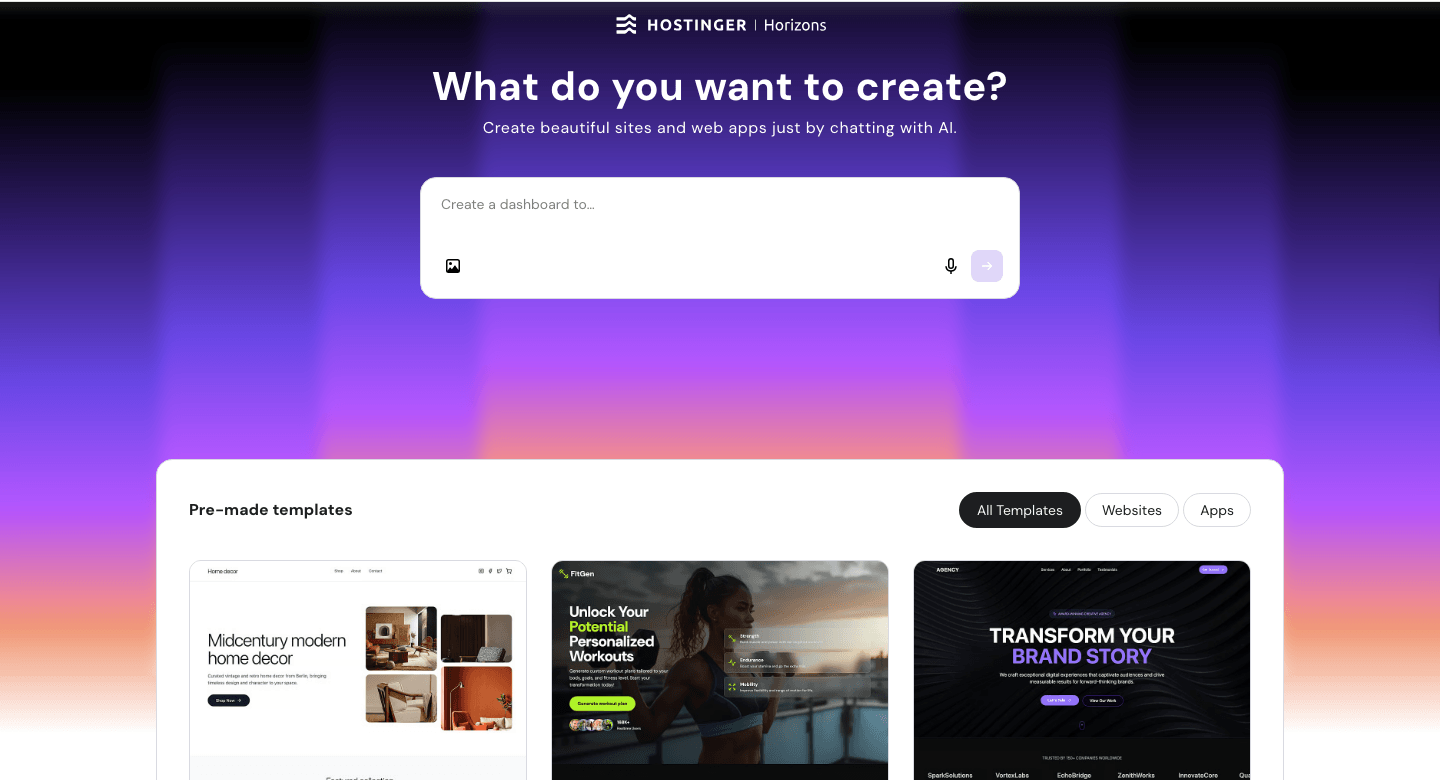
Hostinger sits at the bottom of the price ladder and punches well above its weight. I’ve used it hands-on for over two years across different project types — the full breakdown lives in my best website builder for small business review, but the short version is: it’s fast to set up, the templates are clean, and the AI tools actually save time rather than just looking impressive in a demo.
The builder includes an AI site generator that builds a starter layout from a few prompts, an AI writer for placeholder copy, and a heatmap tool that shows where visitors click. You won’t find that combination at this price point anywhere else.
Key features:
- AI-powered website builder — generates a starting layout in minutes
- Free domain for the first year (on annual plans)
- Free SSL certificate included
- Mobile-responsive templates across all industries
- Built-in SEO tools with meta title and description controls
Pricing:
- Premium plan: starting at $1.99/month (48-month term, paid upfront as $95.52)
- Most comparable entry: $2.99/month on a 24-month plan
- Renews at $10.99/month — factor this into your year-two budget
- 12-month plan: $3.49/month ($41.88 upfront)
Pros:
- Exceptionally low entry price — one of the lowest of any paid builder
- Genuinely useful AI tools, not just marketing fluff
- Fast load times — important for both SEO and user experience
- Easy enough for a true beginner to launch in a few hours
Cons:
- Renewal rate ($10.99/month) is a significant jump from the intro price — plan ahead
- Template customisation has some limits compared to Wix or Squarespace
- E-commerce is functional but not built for large catalogues
Best for: Beginners, local service businesses, budget-first launchers, anyone who wants to get online this week without overthinking it.
Not for: Businesses planning a serious online store or needing deep third-party integrations.
My Verdict: After two-plus years of real use, Hostinger remains the clearest answer when someone asks “what’s the best cheap website builder that actually works?” The intro price is genuinely low, the quality feels intentional — not cut-rate — and the AI tools are a real time-saver. Just set a calendar reminder before your renewal date.
Explore Hostinger’s website builder plans and current pricing.
GoDaddy Website Builder — Fastest Path from Zero to Live
GoDaddy has a reputation for domain registrations, but the website builder side of things is genuinely underrated for simple business sites. The builder leans heavily on guided setup — it asks a few questions about your business and assembles a starting point for you. For someone who wants to spend zero time making design decisions, that workflow removes a lot of friction.
The platform includes appointment booking, but it’s worth knowing upfront: booking is a Premium plan feature, not available on Basic. If bookings are your priority, factor in that price tier from the start.
Key features:
- Guided setup — answer questions, get a starter site
- Built-in appointment booking (Premium plan, $16.99/month annual)
- One-page contact and lead capture pages
- Mobile editor — make changes directly from your phone
- 7-day free trial available
- Basic: $9.99/month — simple service or personal site
- Standard: $14.99/month — growing sites, more SEO and marketing tools
- Premium: $16.99/month — adds appointment booking
- Commerce: $20.99/month — online store with product listings
- Monthly (no annual commitment): Basic starts at ~$12.99/month — renews higher, check current rates before committing
Pros:
- Fastest setup time of the three — genuinely 30–60 minutes to live
- Reliable infrastructure and uptime track record
- Strong phone/chat support options
- Free trial lets you test before paying
Cons:
- Appointment booking requires the Premium plan ($16.99/month) — not included in the cheapest tier
- Renewal rates can climb significantly — always check full-price renewal before committing
- Less creative control than drag-and-drop builders
- Template variety is narrower than competitors
Best for: Busy business owners who want a site done today, service businesses planning to add bookings later, people who’ve been putting off launching because it feels too complicated.
Not for: Anyone who wants pixel-level design control or a content-heavy blog.
My Verdict: GoDaddy’s builder doesn’t win design contests, but it gets businesses online fast and keeps them there reliably. The Basic plan at $9.99/month is a solid starting point — just know that bookings and more advanced features will move you up a tier.
Check GoDaddy’s current website builder plans.
SITE123 — The Stripped-Back Option for Pure Simplicity
SITE123 takes the “simple” promise further than most. There’s no drag-and-drop — you pick a template, fill in your content, and it handles layout automatically. That sounds limiting, but for a business owner who genuinely doesn’t want to think about design, it’s a relief rather than a restriction.
The result is consistent and clean across devices, and the support is notably responsive for a platform at this price range. One thing to know going in: SITE123 charges the full subscription period upfront, and the longer the term, the lower the effective monthly rate.
Key features:
- Fully guided layout — no design decisions needed
- Multi-language support (useful for local businesses serving mixed communities)
- Blog, contact forms, and basic e-commerce available
- 24/7 live chat support
- Free plan available (with SITE123 subdomain — upgrade to remove branding)
Pricing:
- Free plan: $0 (SITE123 subdomain, limited features — good for testing)
- Basic paid plan: $12.80/month (monthly billing)
- Longer-term commitments (12–120 months) bring the effective monthly rate down — the Basic plan can reach $1–$6/month on extended terms
- Full subscription amount charged upfront — a 2-year plan means paying the total today
Pros:
- Genuinely the easiest setup flow of the three
- Clean results without design effort
- Good live chat support response times based on user feedback
- Free plan to test before paying
Cons:
- Least flexible of the three — template changes are restricted
- Full billing upfront on longer plans — check what you’re committing to
- Free plan shows SITE123 branding
- Limited advanced SEO controls
Best for: Absolute beginners, multi-language local businesses, anyone who wants “just make it look professional” without touching a single design setting.
Not for: Anyone planning to grow into a more feature-rich site — you’ll likely outgrow it and want to migrate.
My Verdict: SITE123 earns its place by doing one thing very well: getting non-technical business owners to a live, respectable website with minimal stress. Just go in with eyes open on the billing structure — longer commitments unlock the low monthly rates, but you’re paying the full amount upfront.
See SITE123’s current pricing and plans.
Quick Comparison
Quick reference — scroll horizontally on mobile.
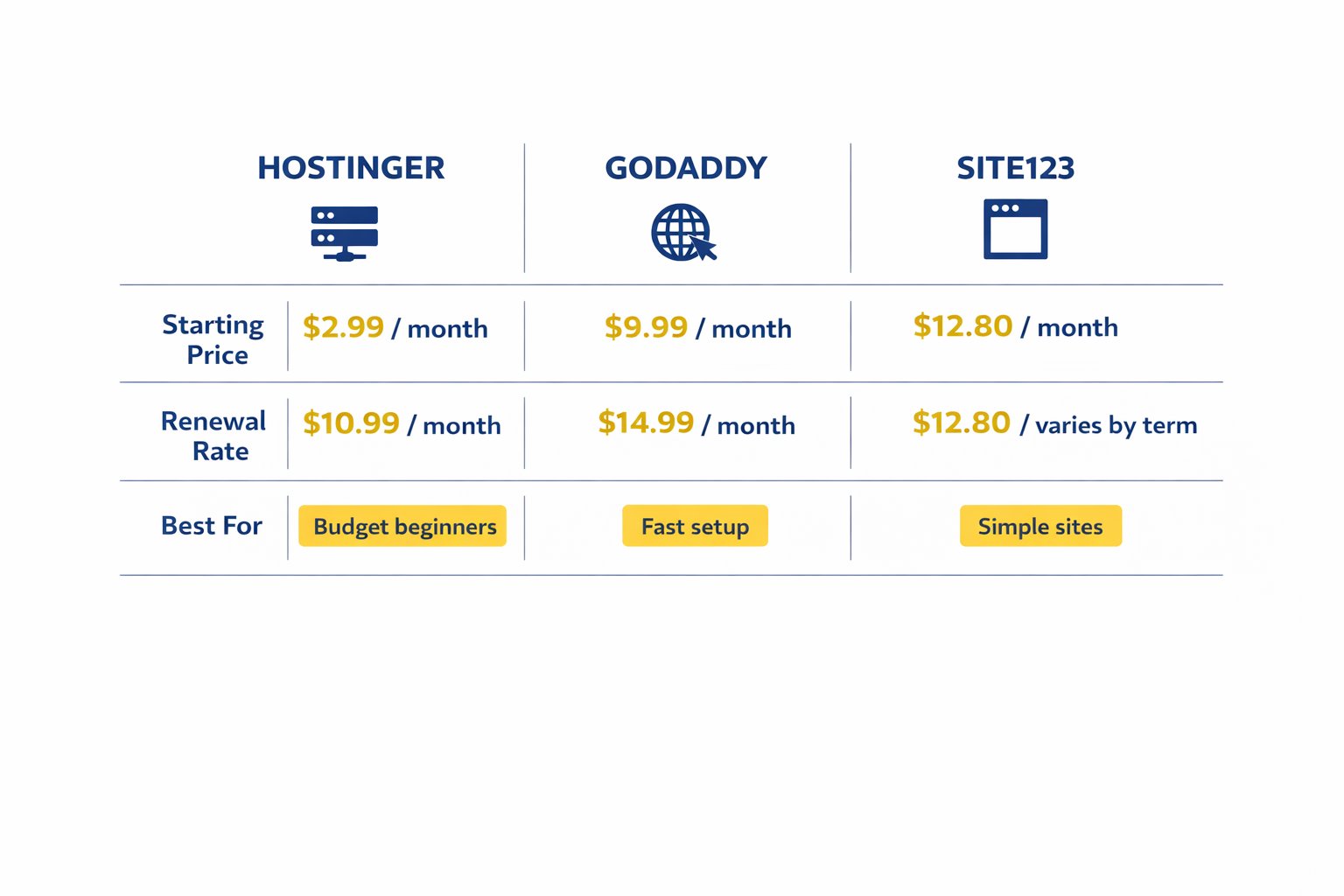
| Platform | Starting Price | Best For |
|---|---|---|
| Hostinger | $1.99/month (48-mo term) · renews $10.99/mo | Budget-first beginners, local businesses |
| GoDaddy | $9.99/month (annual) · bookings need Premium ($16.99/mo) | Fast launch, guided setup |
| SITE123 | $12.80/month (monthly) · lower on longer terms | Pure simplicity, no design decisions |
Pricing verified April 2026. Annual or multi-year plans shown — always confirm on the platform’s pricing page before purchasing.
3 Common Mistakes When Choosing a Budget Website Builder
1. Assuming cheap means it’ll look cheap
Many business owners hold off on launching because they’re embarrassed by what a low-cost site might look like. The reality is that modern budget builders produce clean, mobile-friendly results that customers won’t blink at. The bigger risk is having no website at all.
Fix: Pick a builder, pick a template, fill it in. A live site beats a perfect plan that never launches.
2. Not checking the renewal rate
The intro price is often heavily discounted — Hostinger’s $1.99/month intro rate, for example, renews at $10.99/month. This catches a lot of people off guard in year two.
Fix: Before committing, find the renewal price on the platform’s FAQ or pricing page. For a full cost breakdown, see how much does a website cost for a small business.
3. Picking a platform for features you won’t use for six months
It’s tempting to future-proof by choosing a more powerful (and expensive) platform “just in case.” But if you’re not using those features, you’re paying for them unnecessarily.
Fix: Build for where your business is today. You can always migrate when you’ve outgrown your starter site — and by then you’ll know exactly what you need.
Next Steps (Do These in the Next 24–48 Hours)
- Decide your site’s one job — is it a digital business card, a bookings page, or a simple online shop? That single answer will point you to the right builder on the list above.
- Pick a builder and start a free trial or free plan — Hostinger, GoDaddy, and SITE123 all let you test before paying. You can have a working draft in under two hours.
- Compare costs properly before committing — always check renewal rates and what’s included at each tier. The cheapest website builder for small business breakdown and the budget website builder comparison chart both make this faster.
FAQ
Is a cheap website builder actually good enough for a real business?
Yes — for most small businesses, absolutely. If your site’s job is to show what you do, share contact details, and look professional on mobile, a budget builder handles all of that well. The gap between a $2/month and a $30/month website is mostly features you won’t use in year one. What matters is getting live and being findable.
What’s the cheapest website builder that still looks professional?
Hostinger has the lowest verified entry price — from $1.99/month on a 48-month term, or $2.99/month on 24 months. It’s the one I’ve used for real projects and kept using. For a deeper cost comparison across more platforms, the cheapest website builder for small business guide covers the full picture.
What happens to my price when I renew?
This is the most important pricing question to ask before you sign up. Hostinger’s Premium plan, for example, renews at $10.99/month after the intro term — more than five times the $1.99/month entry rate. GoDaddy’s monthly rates are also higher than annual billing prices. Always locate the renewal rate on the pricing page before committing.
Will a budget website builder hurt my SEO?
Not significantly for a local or small business site. All three builders on this list support custom page titles, meta descriptions, and mobile-responsive layouts — the foundations that matter most for basic SEO. Where budget builders fall short is advanced SEO (redirects, schema markup, plugin ecosystems) — but that’s rarely a priority in year one.
How long does it take to build a website on one of these platforms?
Realistically, 1–3 hours to have a clean, live site if you have your text and a logo ready. GoDaddy is the fastest of the three — some business owners report going from sign-up to live in under an hour. Hostinger with its AI generator is close behind. SITE123 is slightly more deliberate but still very approachable for a complete beginner.
Do cheap website builders include a domain name?
It varies. Hostinger includes a free domain for the first year on annual plans. GoDaddy and SITE123 typically charge separately for a custom domain, though promotional bundles appear regularly. Always check what’s included at checkout — and note whether the free domain renews at a cost in year two.
Can I sell products on a budget website builder?
Yes, but with limits. All three offer basic e-commerce — product listings, a checkout, simple inventory. For a small shop selling 10–50 products, that’s often more than enough. If you need abandoned cart recovery, multi-currency checkout, or complex shipping rules, you’ll want a more commerce-focused platform. See the best website builder for small business for those comparisons.
When should I stop using a budget builder and upgrade?
When the platform is actively blocking growth — not just when you’ve heard premium is “better.” Clear signals: you need features the builder doesn’t offer, your traffic demands better performance, or you’re spending hours working around limitations. Until then, your budget is better spent elsewhere. For full cost context, how much does a website cost for a small business and build a professional website under $100 a year are both worth a read.