Hostinger vs Site123 Pricing — What You Actually Pay Running a Small Business

Hostinger vs Site123 cheaper small business is one of those comparisons that looks simple until you dig into the actual numbers — and then it gets interesting fast. At first glance, both platforms seem designed for budget-conscious small business owners. But once you factor in renewal pricing, what each plan actually includes, and how the cost stacks up if you ever need more than one site, the gap between them becomes surprisingly wide.
Here’s the thing: the cheapest starting price and the cheapest total cost of ownership are two very different things. This comparison breaks both down so you can make a decision with your eyes open.
Quick Answer
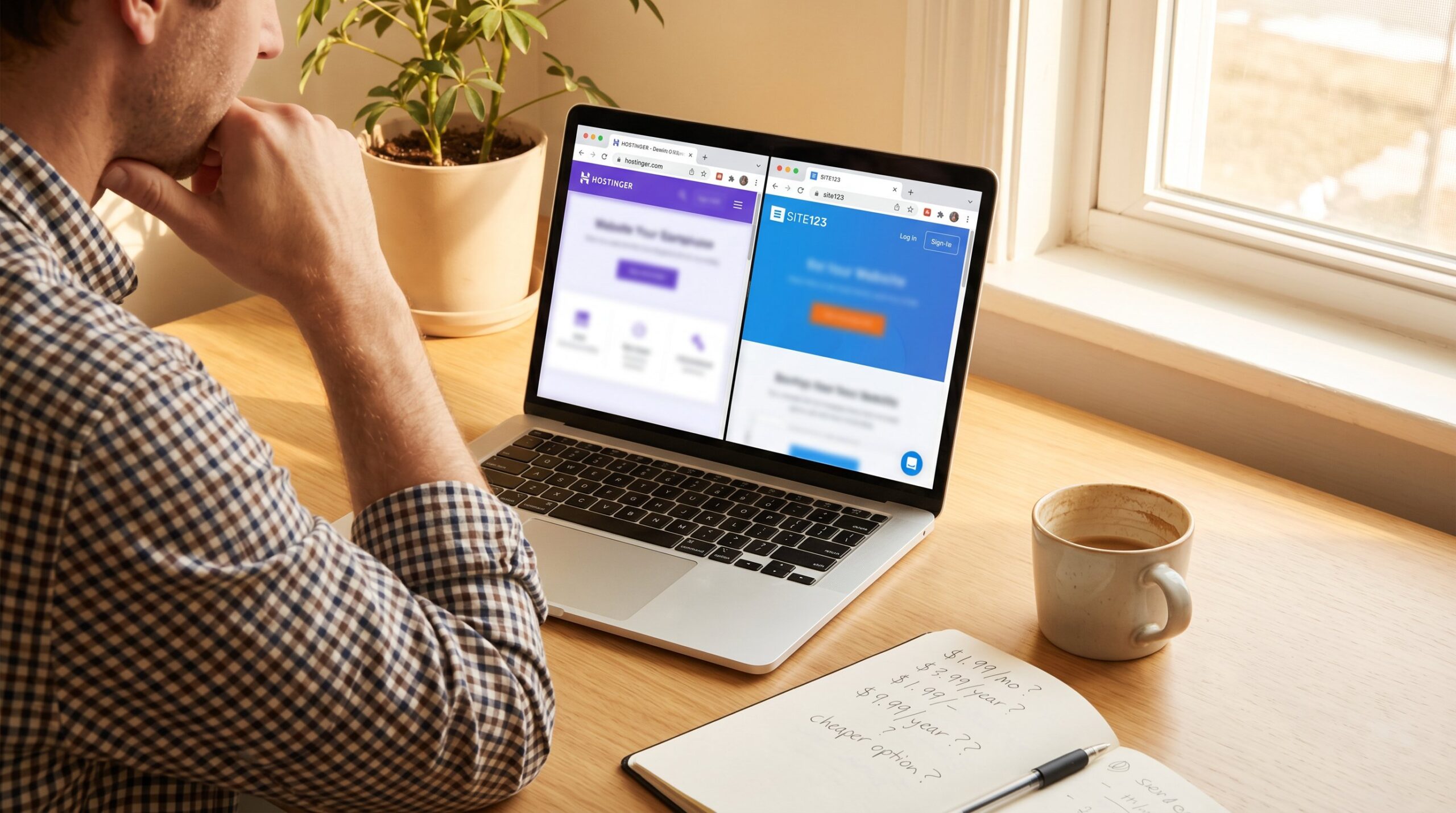
Hostinger is significantly cheaper than Site123 for most small businesses — especially over the long term. Hostinger’s Website Builder Premium plan starts at $1.99/month (48-month term) or $2.99/month (24-month), while Site123’s cheapest paid plan starts at $12.80/month. More importantly, Hostinger’s Business plan covers up to 50 websites under one subscription. Site123 charges per site. If you need one simple, guided website with minimal setup friction, Site123 works — but Hostinger wins on price at almost every level.
Affiliate disclosure: This article contains affiliate links. If you click through and make a purchase, I may earn a small commission at no extra cost to you. I only recommend tools I’ve used or thoroughly researched.
The Two Builders at a Glance
Before getting into the pricing breakdown, it helps to understand what each platform is actually designed for.
Hostinger is an all-in-one website builder and hosting platform. I’ve been running this blog on Hostinger for over two years, and the day-to-day experience is smooth — fast load times, a clean drag-and-drop editor, and AI tools built right into the dashboard. It’s built for people who want creative control without needing to touch code.
Site123 takes a different approach. It’s more of a structured, section-based builder — you choose a layout, fill in your content, and you’re done. There’s less creative freedom, but also less chance of things going sideways. Think of it as the “I just want to have a website” option, rather than “I want to craft a website.”
Hostinger — Affordable, Scalable, AI-Powered
Hostinger has quietly become one of the most price-competitive website builders available — and not just because of the headline number.
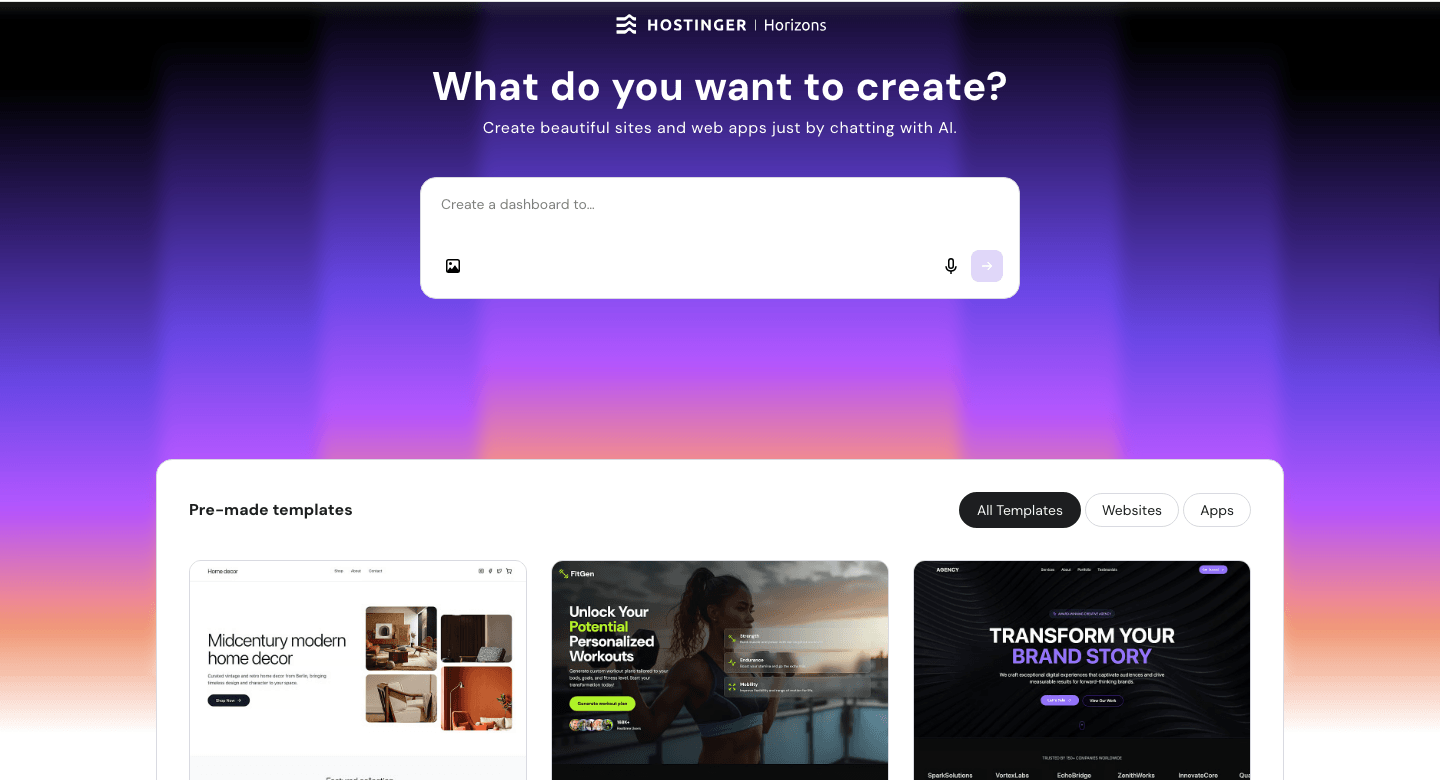
The introductory pricing is genuinely low. But what makes Hostinger stand out for a small business is what comes bundled at that price: a free domain for the first year, SSL security, email accounts, AI website generation, and a drag-and-drop editor that doesn’t feel clunky or limited. I’ve used it daily for over two years to run this blog, and I’ve never once felt like I needed to upgrade just to get basic functionality.
Key Features:
- AI website builder — describe your business and get a full draft site in seconds
- Drag-and-drop editor with full layout control (move any element anywhere)
- Built-in SEO tools: meta titles, descriptions, sitemap auto-generation
- Email marketing integration (Hostinger Reach)
- Connect Google Analytics, Meta Pixel, and Google Ads natively
- 0% transaction fees on ecommerce sales
Pricing — Intro Rates by Term Length:
| Plan | 12-Month | 24-Month | 48-Month |
|---|---|---|---|
| Premium | $3.49/mo | $2.99/mo | $1.99/mo |
| Business | $4.49/mo | $3.99/mo | $2.99/mo |
What Each Plan Includes:
| Plan | Renews At | Websites | eCommerce |
|---|---|---|---|
| Premium | $10.99/mo | 3 | Yes (0% fees) |
| Business | $16.99/mo | 50 | Yes (0% fees) |
All plans billed upfront for the full chosen term. Free domain included for the first year. Check Hostinger’s current pricing for live promotional rates — these can change.
Here’s the catch on renewals: the jump from $1.99 to $10.99/month at renewal is steep — more than five times the intro rate. That said, even at $10.99/month, you’re getting hosting, a domain, email accounts, AI tools, and 3 websites under one plan. That’s still competitive against most alternatives.
Pros:
- Lowest introductory price in its category — from $1.99/month on the 48-month term
- Multiple websites per plan: 3 on Premium, 50 on Business
- Genuinely useful AI tools built into the editor
- 30-day money-back guarantee to test risk-free
Cons:
- Renewal rates are noticeably higher than intro pricing — budget for $10.99/month from year two
- Fewer third-party app integrations than some competitors
- Not ideal if you want a fully curated, zero-decisions setup experience
Best for: Small business owners who want a good-looking, functional website at a budget price — especially anyone who might need to manage more than one site down the line.
Not for: Complete beginners who feel overwhelmed by creative decisions, or businesses needing heavy third-party app integrations out of the box.
My Verdict: Hostinger delivers the strongest value for money of any website builder I’ve personally used. The AI tools alone save hours of setup time, and the ability to host 3 websites on the Premium plan (or 50 on Business) makes it a no-brainer if you have any plans to grow. Just budget for the renewal rate from day one — the sticker shock is manageable if you expect it.
Explore Hostinger’s website builder plans and current pricing to see which tier fits your business.
Site123 — Beginner-Friendly, But Priced Higher
Site123 gets one thing very right: it removes almost all decision fatigue from the website-building process.
You pick a category (restaurant, portfolio, online store), choose a section layout, drop in your content, and publish. There’s no drag-and-drop freedom, but there’s also no blank-canvas paralysis. For a business owner who just needs something clean and live by Friday, that simplicity has real appeal.
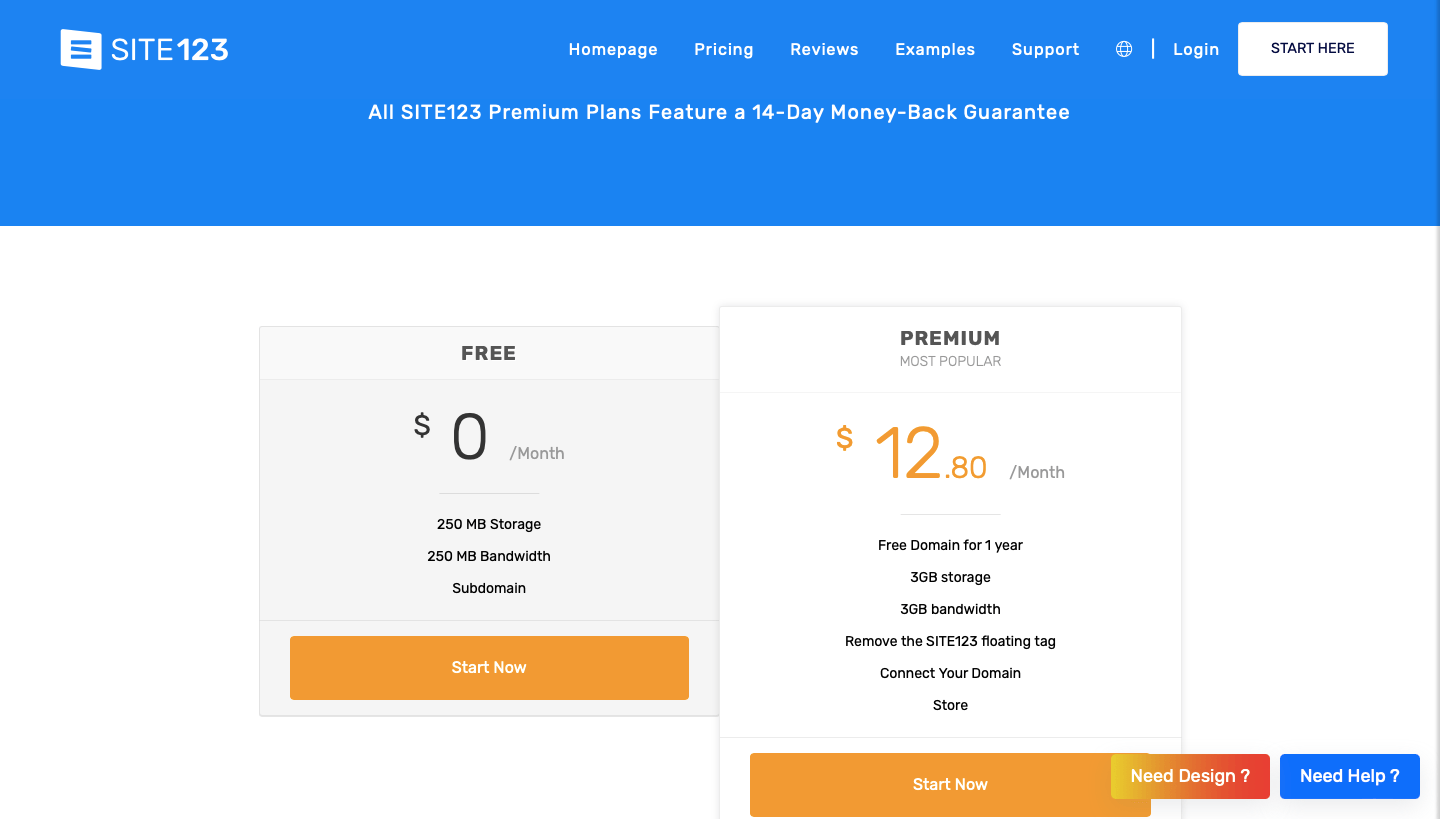
The platform also has a genuine free plan — limited to a subdomain with Site123 branding, but useful for testing without committing a credit card. That’s a meaningful difference from Hostinger, which requires a paid plan to publish.
Key Features:
- Section-based builder: structured, guided, low learning curve
- Free plan available (500 MB storage, Site123 subdomain, up to 5 pages)
- Built-in third-party app marketplace (live chat, email marketing, booking tools)
- Multilingual site support — useful for businesses serving multiple markets
- 14-day money-back guarantee on paid plans
- 24/7 live chat support included
Pricing — Paid Plans:
| Plan | Monthly Rate | Storage | eCommerce |
|---|---|---|---|
| Basic | ~$12.80/mo | 3 GB | No |
| Gold | ~$17/mo+ | 50 GB | Yes (500 orders/mo) |
| Platinum | ~$32/mo+ | 100 GB | Unlimited orders |
Rates reflect the 3-month billing cycle. Annual billing reduces the monthly rate slightly. The full amount is charged upfront and is non-refundable after 14 days. Always check Site123’s pricing page for current rates.
One important note: every Site123 paid plan covers exactly one website. If you ever need a second site — for a second location, a side project, a landing page campaign — you pay the full subscription again. That’s a meaningful cost difference from Hostinger’s multi-site plans.
Pros:
- Genuinely easy setup — less than an hour to a live site
- Free plan lets you test before buying (no credit card required)
- Good third-party app integrations for marketing and booking
- Multilingual support built in
Cons:
- Higher starting price than Hostinger at every billing cycle
- One site per plan — costs multiply quickly if you need more
- Limited creative control compared to drag-and-drop builders
- No AI tools for content or design generation
- Long-term plans paid upfront in full — funds locked after 14 days
Best for: Absolute beginners who want the fastest possible path to a working website — a one-location service business, a freelancer with a simple portfolio, or anyone who finds blank-canvas editors stressful.
Not for: Business owners who want AI-assisted design, creative layout control, multiple sites without paying multiple subscriptions, or anyone who might need to pivot their site significantly after the refund window closes.
My Verdict: Site123 is a solid, unpretentious website builder — it does what it promises. But compared to Hostinger on cost alone, it’s hard to justify for most small businesses. You pay more, get less creative control, and lose multi-site flexibility. Where it earns its place is with the business owner who genuinely values guided simplicity above everything else — and is absolutely certain they only need one site.
Hostinger vs Site123: Which Is Cheaper for Small Businesses?
Quick reference — scroll horizontally on mobile, or click platform names to jump to full reviews.
| Hostinger | Site123 | |
|---|---|---|
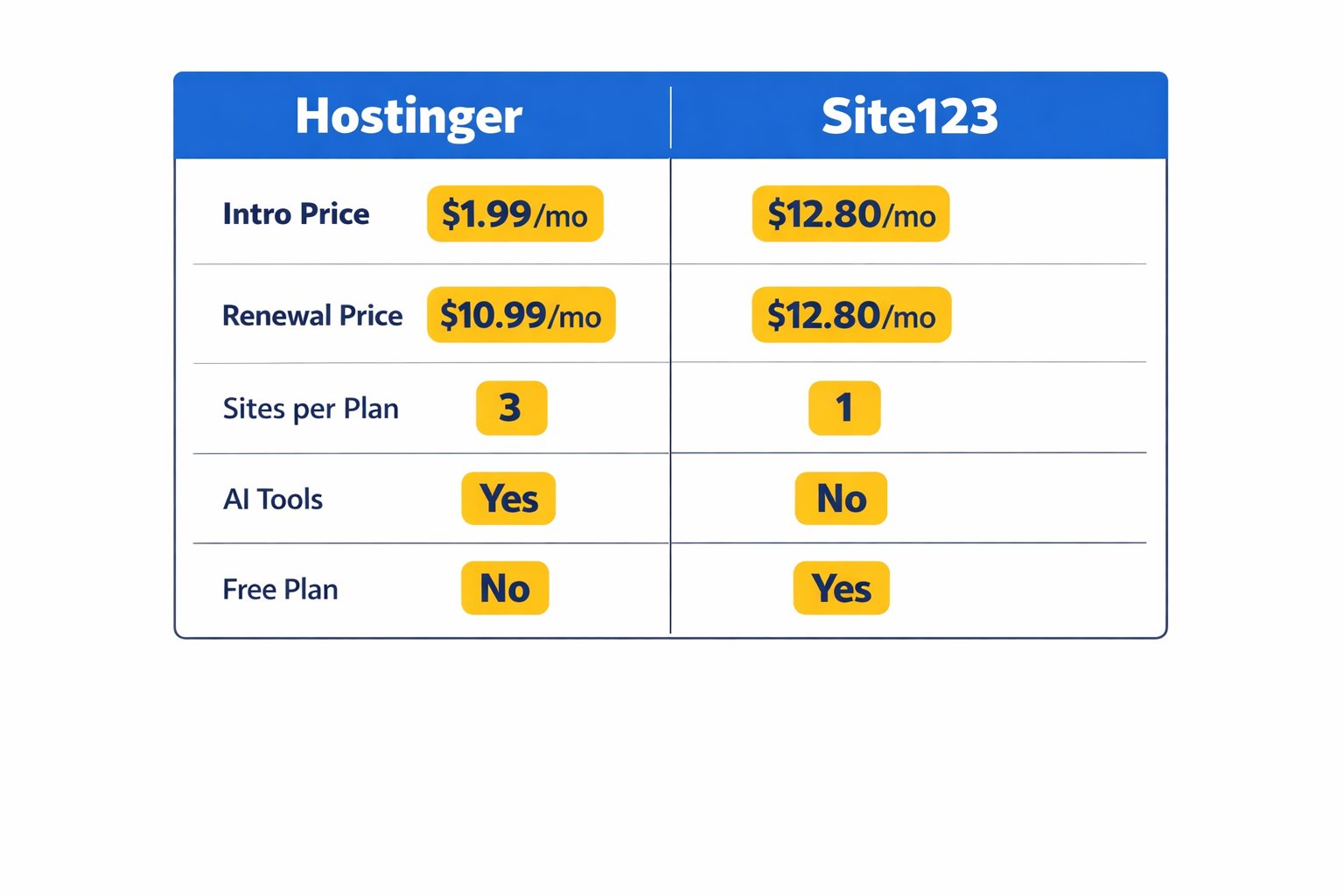
| Cheapest Intro Price | $1.99/mo (48-month) | $12.80/mo (3-month) |
| Renewal Price | $10.99/mo (Premium) | ~$12.80/mo+ |
| Websites per Plan | 3 (Premium) / 50 (Business) | 1 per plan |
| Free Plan | No (30-day money-back) | Yes (subdomain, 5 pages) |
| AI Tools | Yes | No |
| eCommerce | Yes (0% fees) | Gold plan and above |
| Refund Window | 30 days | 14 days |
| Best For | Budget-first, multi-site growth | Guided beginner, one site |
Common Mistakes to Avoid
1. Choosing by intro price alone
It’s genuinely easy to get excited by a $1.99/month headline and not scroll down to the renewal rate. Many business owners set up a site, forget about it, and get surprised by their year-two bill. Hostinger renews at $10.99/month — still competitive, but not $1.99.
Fix: Decide based on the renewal price, not the promo price. If $10.99/month still fits your budget, the intro deal is a real bonus — not a trap.
2. Picking Site123 for “one simple site” without checking if that holds
Site123’s one-site-per-plan structure catches a lot of business owners off guard. You start with one site, then need a landing page for a campaign or a page for a second location — and suddenly you’re paying twice. This is easy to overlook when starting out.
Fix: If there’s any chance you’ll need a second site within 12–24 months, go with Hostinger’s Business plan from the start. Fifty websites on one plan leaves serious room to grow.
3. Assuming “cheap” means “limited”
Some business owners see Hostinger’s price and assume they’re getting a stripped-down experience. That’s not the case. AI tools, SEO features, email accounts, and a free domain come standard on both plans.
Fix: Use the 30-day money-back window and actually build a page. The feature set usually speaks for itself within the first 30 minutes.
4. Ignoring total cost of ownership
The builder price is only part of the picture. You may also need a domain, business email, and SSL. With Hostinger, most of these are bundled. With Site123, the Basic plan is lean on storage and bandwidth — many businesses quickly find themselves needing to upgrade to a higher tier.
Fix: List everything your website needs — domain, email, SSL, ecommerce, storage — and price it out fully for each platform before deciding. For a fuller picture of what a small business website actually costs, the how much does a website cost for a small business guide covers all the variables.
5. Skipping the money-back window
Both platforms offer a refund window — Hostinger gives you 30 days; Site123 gives you 14. The difference matters more with Site123, where longer plans are charged upfront in full and become non-refundable after just two weeks.
Fix: Set a calendar reminder for day 10 after signing up. Spend one real hour building your homepage. You’ll know quickly whether the platform fits — before it’s too late to ask for a refund.
Next Steps (Do This in the Next 24–48 Hours)
- Check Hostinger’s current promotional rate — pricing changes regularly and the intro offer is usually strongest when you first land on the page. Review the current Website Builder plans and note both the intro and renewal price before deciding on a term length. Most small businesses find the 24-month plan the sweet spot between upfront cost and long-term value.
- Map out your actual site needs — before paying for anything, spend 10 minutes listing the pages you need, whether you’ll sell online, and whether you might ever need a second site. This simple exercise will make the right platform — and the right plan — obvious.
- Compare more options if you’re still unsure — Hostinger and Site123 are strong choices at the budget end, but they’re not the only ones worth considering. The cheapest website builder for small business guide compares more options side by side, including which platforms offer the best value once renewal rates are factored in.
FAQ
Is Hostinger really cheaper than Site123 for small businesses?
Yes — by a significant margin. Hostinger’s Website Builder Premium plan starts at $1.99/month (48-month term) versus Site123’s $12.80/month entry plan. Even at Hostinger’s renewal rate of $10.99/month, it’s still cheaper than Site123’s starting price. Add in multi-site support and the gap widens further for any business managing more than one website.
What does Hostinger’s renewal price look like after the first term ends?
Hostinger’s Premium Website Builder plan renews at $10.99/month; the Business plan renews at $16.99/month. The jump from the introductory rate is steep — more than five times in some cases. Budget for the renewal rate from the start so there are no surprises. Locking in a longer initial term (24 or 48 months) delays that renewal as long as possible.
Does Site123 have a free plan?
Yes. Site123’s free plan includes 250MB of storage, up to 5 pages, and a Site123 subdomain — no custom domain, and their branding appears on your site. It’s genuinely useful for testing the platform or building something very basic, but most small business owners will need the Basic paid plan ($12.80/month) for a professional result with a custom domain.
I’ve never built a website before. Which one is easier?
Site123 is the more guided experience — it walks you through setup step by step with fewer blank-canvas decisions. That said, Hostinger’s AI builder narrows the gap considerably: type a brief description of your business and it generates a full starter site in seconds. Most beginners feel confident with either platform within the first hour. If any creative decision feels overwhelming, Site123 edges it slightly.
Can I sell products through both platforms?
Yes, both support ecommerce — but with different terms. Hostinger includes ecommerce on both plans with 0% transaction fees. Site123 includes a basic store on its Gold plan and above (around $17/month+). For a small shop just getting started, Hostinger offers more flexibility at a lower price point once you factor in the transaction fee difference.
What if I need more than one website?
This is where Hostinger wins clearly. Its Premium plan covers 3 websites; the Business plan covers 50 — all under one subscription. Site123 assigns exactly one website per plan, so a second site means a second full subscription at $12.80/month or more. If you’re managing multiple projects, locations, or clients, Hostinger’s multi-site model saves meaningful money immediately.
How risky is Site123’s long-term upfront billing?
It’s worth understanding before you commit. Site123 charges the full subscription amount upfront for any term and refunds are only available within the first 14 days. After that window, the money is locked in regardless of how long your term runs. This isn’t unique to Site123, but it’s a bigger deal when committing to a year or more.
Where can I compare more budget website builders beyond these two?
The best website builder for small business guide covers the full landscape, including Wix, Squarespace, and WordPress.com. For a budget-focused deep dive, the cheap website builder for small business article is a good next read — it covers which platforms offer the best value once hidden costs and renewal rates are factored in.