
Website and Email Marketing All-in-One: 3 Platforms That Actually Keep It Simple

Running a website and email marketing all-in-one platform is one of the most underrated decisions a small business owner can make — especially when you realise how much time (and money) quietly disappears when your tools don’t talk to each other.
Here’s the scenario most people end up in: you build a website on one platform, sign up for an email tool on another, then spend an afternoon watching YouTube tutorials trying to connect a signup form. Three months later, something breaks, and you have no idea which app is the problem. Sound familiar? That’s exactly what combining your website and email under one roof solves.
Quick Answer
If you want your website and email under one roof, Wix is the most polished all-in-one option — though its email marketing is priced separately from the website plan. Hostinger with Reach is the most affordable entry point, with hosting, website builder, and email marketing in one dashboard. MailerLite flips the model: it’s primarily an email platform that lets you build a simple website for free. Which fits depends mostly on whether your website or your email list comes first.
Affiliate disclosure: Some links in this article are affiliate links. If you sign up through them, I may earn a small commission at no extra cost to you — it helps keep this site running.
Website and Email Marketing All-in-One: Why One Platform Helps
The case for keeping your website builder with built-in email marketing isn’t just about convenience — it’s about reducing the number of things that can go wrong.
When your website and email tool share the same platform, your subscriber list is already synced with your signup forms. When someone fills out a contact form on your homepage, they’re automatically added to your list. No Zapier. No manual CSV exports. No “why aren’t my contacts updating?” moments at 11 pm.
There’s also the cost angle. Paying separately for a website builder and a standalone email platform adds up fast. An all-in-one website and email platform can cut that to a single, lower monthly bill — which matters when you’re watching every expense in the early months.
One thing to watch: all-in-one tools make trade-offs. They’re not always as powerful as dedicated email platforms for advanced automation or complex segmentation. But for most small businesses sending a weekly newsletter, a monthly promotion, or an occasional update — they’re more than enough.
Wix — The Most Polished Website and Email Experience
Wix is one of the most recognisable website builders out there, and its built-in email marketing tool (called Wix Email Marketing) makes it a genuine all-in-one website and email platform for small businesses. You get a drag-and-drop website editor, a subscriber list, automated campaigns, and basic analytics — all inside a single dashboard.
The email side of Wix is more capable than most people expect. You can send branded newsletters, set up automation for new subscribers, and even trigger emails based on actions taken on your site — like someone abandoning a booking or making a purchase.
Here’s the catch, though: Wix email marketing is priced separately from the website plan. You’re not getting both for $17/month — you’re paying for the website, and then the email tool is an add-on on top. That’s an important distinction before you budget.
Key features:
- Drag-and-drop website editor with hundreds of templates
- Email marketing tool built into the same Wix dashboard
- Subscriber list managed directly from your account
- Basic automation (welcome emails, follow-ups)
- Signup forms that connect directly to your email list
- Site analytics and email open/click reporting in one place
Pricing:
- Website plans: starting at ~$17/month (annual billing)
- Email Marketing (separate add-on):
- Free tier: 200 emails/month (Wix branding on emails)
- Essentials: $10/month — 500 emails/month, removes Wix branding
- Core: $24/month — 5,000 emails/month
- Advanced: $49/month — up to 1,000,000 emails/month
- Realistic starting cost for a paid email setup: ~$27/month (website plan + Essentials email tier)
Pros:
- Genuinely everything managed in one place — no integrations needed
- Clean, professional templates for both website and emails
- Easy for non-technical users to set up in an afternoon
Cons:
- Email marketing is an add-on cost — not bundled into the website plan
- The free email tier only allows 200 emails/month, which is very limited
- Email automation is fairly basic compared to dedicated tools
Best for: Small businesses, service providers, and online stores that want a polished website and professional email campaigns without managing two separate tools — and don’t mind paying for both separately.
Not for: Businesses that need complex email sequences, advanced segmentation, or high-volume sending at low cost.
My Verdict: Wix delivers the most seamless experience of any website builder with email marketing integration on this list. Just go in with clear eyes on the pricing — the website and email tools are sold separately, so your realistic starting cost is around $27/month once you move off the very limited free email tier. For small businesses that want everything to look professional and work together without technical setup, that’s still a strong value.
Explore Wix’s email marketing features and current plans to see what’s included at each tier.
Hostinger with Reach — The Most Affordable All-in-One Starting Point
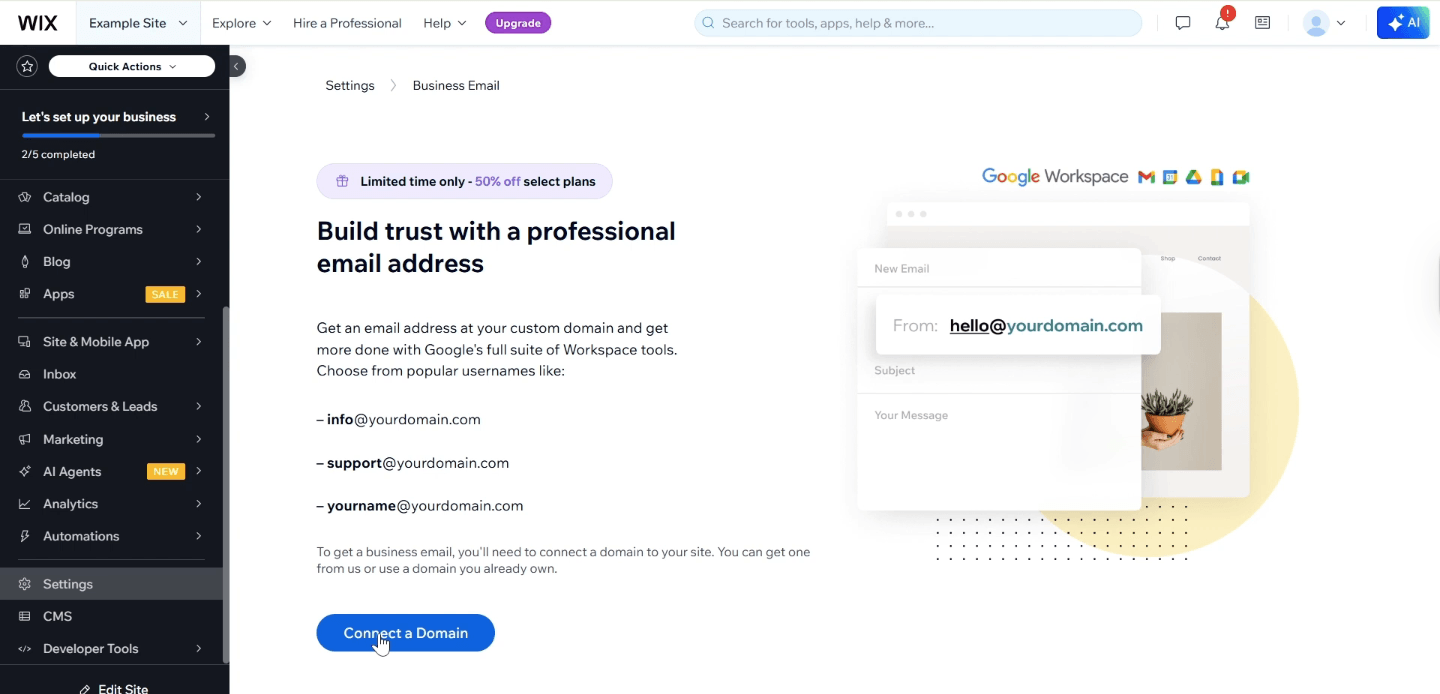
Hostinger has long been known for cheap, reliable web hosting — but the addition of its email marketing tool, Reach, turns it into a genuine combined website and email tool for budget-conscious small businesses. You get website hosting, the Hostinger Website Builder, and Reach email marketing under one account, all manageable from a single dashboard.
What makes this combination worth looking at is the price. Hostinger’s website plans start at around $2.99/month on a promotional rate, and Reach includes a free tier so you can get started with email marketing without adding anything to your monthly bill immediately. That said, there are a few important numbers to understand before you commit.
Key features:
- Hostinger Website Builder with AI-assisted setup
- Reach email marketing tool integrated into your Hostinger dashboard
- Free email tier to test before paying
- Drag-and-drop email campaign editor with AI-generated templates
- Signup form builder connected to your website
- Dashboard manages website, email, and hosting in one place
Pricing:
- Hosting + Website Builder: starting at ~$2.99/month (promotional 24-month rate — renewal is around $16.99/month, so factor that in)
- Reach email marketing (separate add-on):
- Free tier: up to 100 subscribers, 200 emails/month
- Reach 500: $5.99/month (500 subscribers, 3,500 emails/month)
- Reach 1000: $3.99/month (1,000 subscribers, 7,000 emails/month)
- Reach 2500: $8.99/month (2,500 subscribers, 17,500 emails/month)
Pros:
- Most affordable promotional entry point on this list
- Website builder and email marketing genuinely in one account
- Good option for beginners who want to start simple and scale later
- AI-assisted email editor speeds up campaign creation
Cons:
- Reach is newer and less mature than established email platforms
- Free Reach tier is very limited (100 subscribers, 200 emails/month)
- Renewal pricing is significantly higher than the intro rate — budget accordingly
- AI website builder output sometimes needs manual polish
Best for: New small businesses, freelancers, or solo operators who want an all-in-one marketing platform for small business at the lowest possible starting cost.
Not for: Businesses that need advanced email automation, deep analytics, or an established platform with a large template library.
My Verdict: If budget is the priority and you’re just getting started, Hostinger with Reach is the most cost-effective way to get a website and email marketing running on the same platform. Just be aware of two things: the promotional price jumps significantly at renewal (~$16.99/month), and Reach’s free tier is quite limited at 100 subscribers. Still, for a business starting from zero, the entry cost is hard to beat.
Check Hostinger’s current plans and see what Reach includes on their email marketing page.
MailerLite — Best If Email Comes First, Website Second
MailerLite takes the opposite approach to the others here: it started as an email marketing platform and added a website builder later. That makes it the right fit if your email list is your primary marketing channel and you just need a clean, simple web presence to support it — rather than the other way around.
The free plan is genuinely useful for a new business. You get up to 250 subscribers and 2,500 emails per month at no cost, with a basic website builder included. For a small business testing the waters with email marketing, it’s one of the lowest-risk starting points available. The email side of MailerLite is also more sophisticated than what you get with Wix or Hostinger — better automation, cleaner segmentation, and more detailed reporting.
Key features:
- Email campaign builder with professional templates
- Automation workflows (welcome sequences, tagging, conditional logic)
- Website builder and landing page creator included on all plans
- Popup and signup form builder
- Subscriber segmentation and tagging
- Detailed email analytics (open rates, click maps, unsubscribes)
Pricing:
- Free plan: up to 500 subscribers, 12,000 emails/month — website builder and 10 landing pages included
- Growing Business: starting at $10/month (annual billing) for up to 1,000 subscribers, unlimited emails
- Advanced: higher tiers for larger lists and more advanced features
- Website builder included on all plans at no extra cost
Pros:
- Best email feature set of the three tools here
- Free plan covers 500 subscribers and includes website builder — genuinely useful for getting started
- Clean, modern interface — easier than most people expect
Cons:
- Website builder is simpler than dedicated tools like Wix
- Not ideal if you need a full-featured e-commerce site
- Free plan includes MailerLite branding on emails
Best for: Coaches, consultants, creators, and service businesses where the email list is the main marketing engine and the website serves as a supporting presence.
Not for: Businesses that need a complex multi-page website with booking systems, e-commerce, or advanced design control.
My Verdict: MailerLite is the strongest email-first all-in-one option here. The free plan is a genuine starting point — 500 subscribers and 12,000 emails/month covers most new businesses for months before you need to pay anything. If growing and nurturing a subscriber list is the heart of your marketing, the email capabilities alone justify using it — and the included website builder is a real bonus.
[Check MailerLite’s current pricing and free plan — affiliate link placeholder]
Quick Platform Comparison
Quick reference — scroll horizontally on mobile, or click platform names to jump to full reviews.
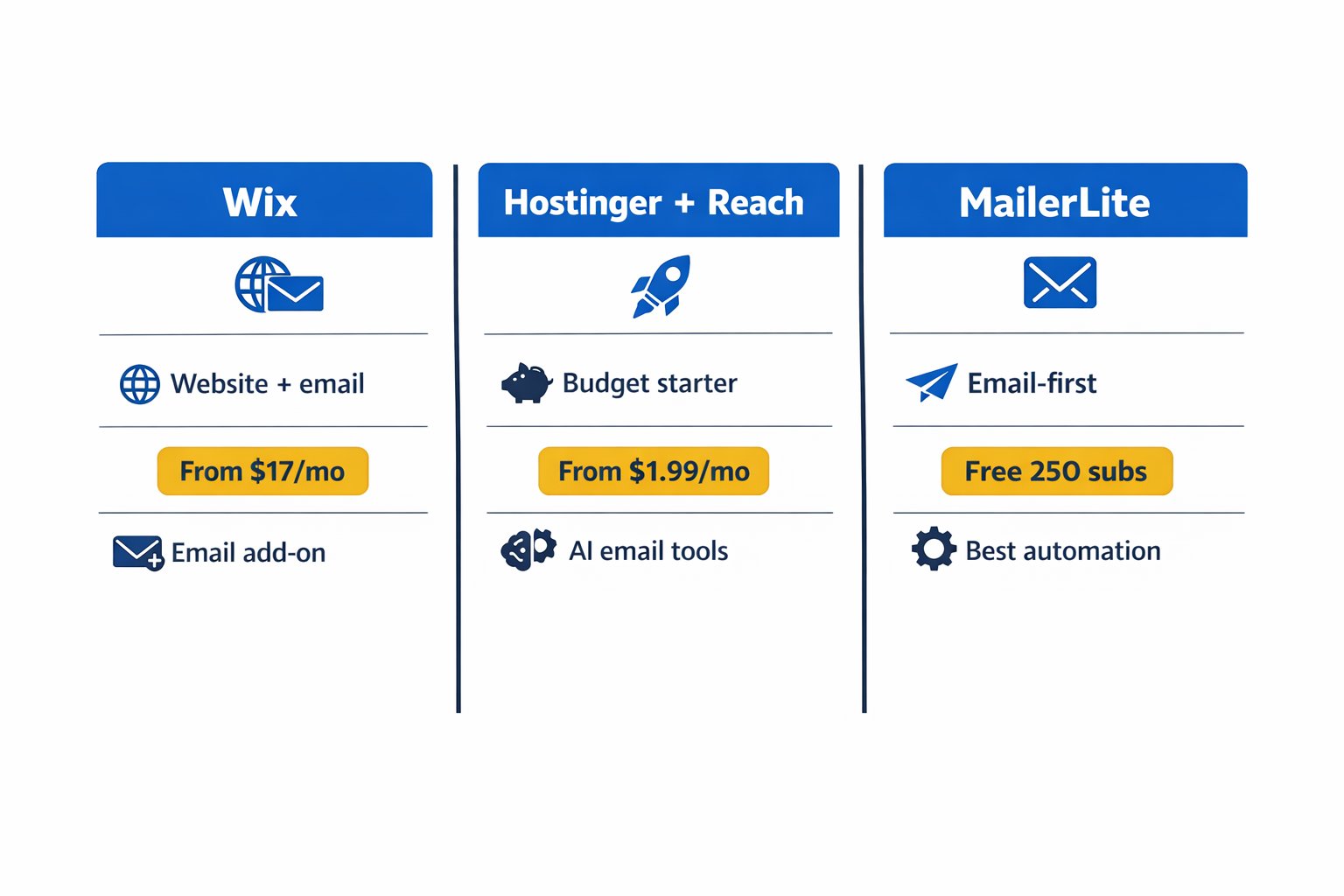
| Platform | Starting Price | Best For |
|---|---|---|
| Wix | ~$17/mo website + $10/mo email | Polished website + email, all-in-one |
| Hostinger + Reach | ~$2.99/mo website + free Reach tier | Budget-friendly beginners |
| MailerLite | Free (250 subscribers) | Email-first small businesses |
Common Mistakes When Setting Up a Combined Website and Email Tool
Getting started with an all-in-one platform is straightforward — but there are a few places where many business owners get tripped up. None of these is a permanent problem, just easy things to sort out early.
1. Not adding a signup form to the website right away
This one catches a lot of people off guard. You set up your email tool, connect it to your site, and then leave no visible way for visitors to actually subscribe. Add a signup form to your homepage, your footer, or your contact page within the first 24 hours. Even a single-field “enter your email” box starts building your list immediately.
2. Sending the first campaign with no welcome email set up
Many business owners start collecting subscribers and then forget to set up a welcome message. When someone signs up and hears nothing back, that silence feels like a red flag. Most all-in-one platforms make it easy to create a simple automated welcome — even one sentence saying “Thanks for joining, here’s what to expect” builds instant trust. This typically takes about 10 minutes to set up.
3. Paying for two tools that duplicate features
It’s surprisingly common to sign up for a standalone email platform after already having email marketing included in a website builder account. Before adding any new tool to your stack, check what’s already included in your current plan — you might already have everything you need.
4. Ignoring list hygiene from the start
If an email address bounces or someone marks your message as spam, that affects your sender reputation — which affects whether future emails land in inboxes at all. Most platforms handle this automatically, but many business owners don’t realise it’s happening until open rates drop. Keep an eye on your bounce and unsubscribe numbers, even casually.
5. Choosing a platform based on the promotional price alone
The cheapest intro rate isn’t always the full story. Hostinger’s $2.99/month jumps to around $16.99/month at renewal. Factor in the realistic 12-month cost — not just the headline number — before committing long-term.
Next Steps (Do These in the Next 24–48 Hours)
- Pick your platform based on your priority — website first (Wix or Hostinger), or email first (MailerLite). If you’re not sure where to start, the best website builder for small business guide can help you narrow it down before committing to an all-in-one tool.
- Set up one signup form and one welcome email — don’t overthink it. A basic form on your homepage and a single welcome email saying “Thanks for subscribing — here’s what to expect” is enough to get started. Most platforms walk you through this in under 30 minutes.
- Connect your website and email list if they’re currently separate — if you’re already running a site and a separate email tool, read how to connect your website to an email list before moving to a new platform. You might be able to consolidate without starting from scratch.
FAQ
Is it better to use an all-in-one platform or separate tools for my website and email marketing?
For most small businesses just starting out, an all-in-one platform is the practical choice. Fewer tools means fewer things to set up, fewer monthly fees, and no frustrating integration issues. Once your list grows past a few thousand subscribers or you need advanced automation, it’s worth revisiting — but in the beginning, simple wins every time.
How much does a website and email marketing all-in-one platform actually cost?
It varies — and the pricing structures differ between tools. MailerLite has a free plan for up to 500 subscribers. Hostinger’s website plan starts at ~$2.99/month (promotional) with a free Reach email tier, though renewal is around $16.99/month. Wix starts at ~$17/month for the website, with email marketing as a separate add-on starting at $10/month.
Can I build a real business website using a platform like MailerLite?
Yes, for a simple website — landing pages, an about page, a services page, and a contact form. MailerLite’s website builder isn’t as feature-rich as Wix for complex sites, but for most service businesses or content creators, it covers the essentials cleanly. If you need booking systems, e-commerce, or multi-page complexity, Wix or Hostinger is a better fit.
What’s the difference between email marketing built into a website builder and a standalone email tool?
Built-in tools are typically simpler and more tightly integrated — your forms, subscribers, and campaigns all live in one place. Standalone tools often offer more sophisticated automation, deeper analytics, and higher deliverability at scale. For most small businesses sending regular newsletters or promotions, built-in tools are more than enough.
Do I need technical skills to set this up?
No. All three platforms — Wix, Hostinger, and MailerLite — are designed for non-technical users. Drag-and-drop editors, guided setup flows, and template libraries handle most of the heavy lifting. Expect to spend an afternoon getting your website live and your first email ready to send.
What if I already have a website — do I need to rebuild everything to add email marketing?
Not necessarily. If your current website builder has email marketing features you haven’t activated yet, start there. If it doesn’t, you may be able to embed a signup form from a separate email tool without rebuilding your site. The best website builder with email marketing integration article covers this in more detail.
Is a free email marketing plan good enough to start?
For most businesses in the early stages — yes. MailerLite’s free plan covers up to 500 subscribers and 12,000 emails per month, which is more than enough to build your list and establish a sending rhythm before committing to a paid plan. The main limitations are branding on your emails and some automation restrictions.
Which platform is best if I want to grow my email list quickly?
MailerLite gives you the most email-focused features at the lowest starting cost — better automation, cleaner segmentation, and a stronger deliverability reputation than newer built-in tools like Reach. If growing your list is the core goal, it’s the strongest starting point of the three.