

The Best Website Builder for Lead Generation: Real Picks for Small Business Owners

The best website builder for lead generation does more than look good — it turns curious visitors into people you can actually follow up with. Most small business owners build a website, wait for the phone to ring, and wonder why nothing happens. The missing piece is usually a few simple tools: a well-placed form, a timely popup, a clear call to action. Pick the right builder, and those tools are already built in.
Quick Answer
If you want to capture leads without a tech headache, Hostinger Website Builder (starting at ~$2.99/month) is the most beginner-friendly option with solid built-in lead tools. Wix (starting at ~$17/month) gives you more design flexibility and a deeper app ecosystem if your needs grow. Both can turn a basic website into a working lead machine — the right choice depends on your budget and how much customization you want.
Affiliate disclosure: This article contains affiliate links. If you click through and make a purchase, I may earn a small commission at no extra cost to you. I only recommend tools I’ve genuinely evaluated.
Why Lead Generation Features Actually Matter
A beautiful website that doesn’t capture contact details is just an expensive brochure. Here’s the thing — visitors rarely come back on their own. You have maybe one shot to get their email, their phone number, or at least their click on a booking link.
The builders that do this well have a few things in common:
- Contact forms that are easy to find and even easier to fill out
- Popup and slide-in tools that trigger at the right moment (not the second someone lands on your page)
- Clear CTA buttons — “Book a Free Call,” “Get the Guide,” “Claim Your Discount”
- Email signup forms that connect directly to your email list
- Thank-you pages or redirects that confirm the action and keep people engaged
Not every builder offers all of these out of the box. Some require apps or third-party integrations. That matters — especially if you’re not technical and don’t want to stitch tools together.
If you’re still comparing builders on a broader level, the best website builder for small business guide covers the full picture across more categories.
Hostinger Website Builder — Best Budget Pick for Lead Capture
I’ve been using Hostinger’s website builder for over two years across a few different projects, so this one I can speak to directly.
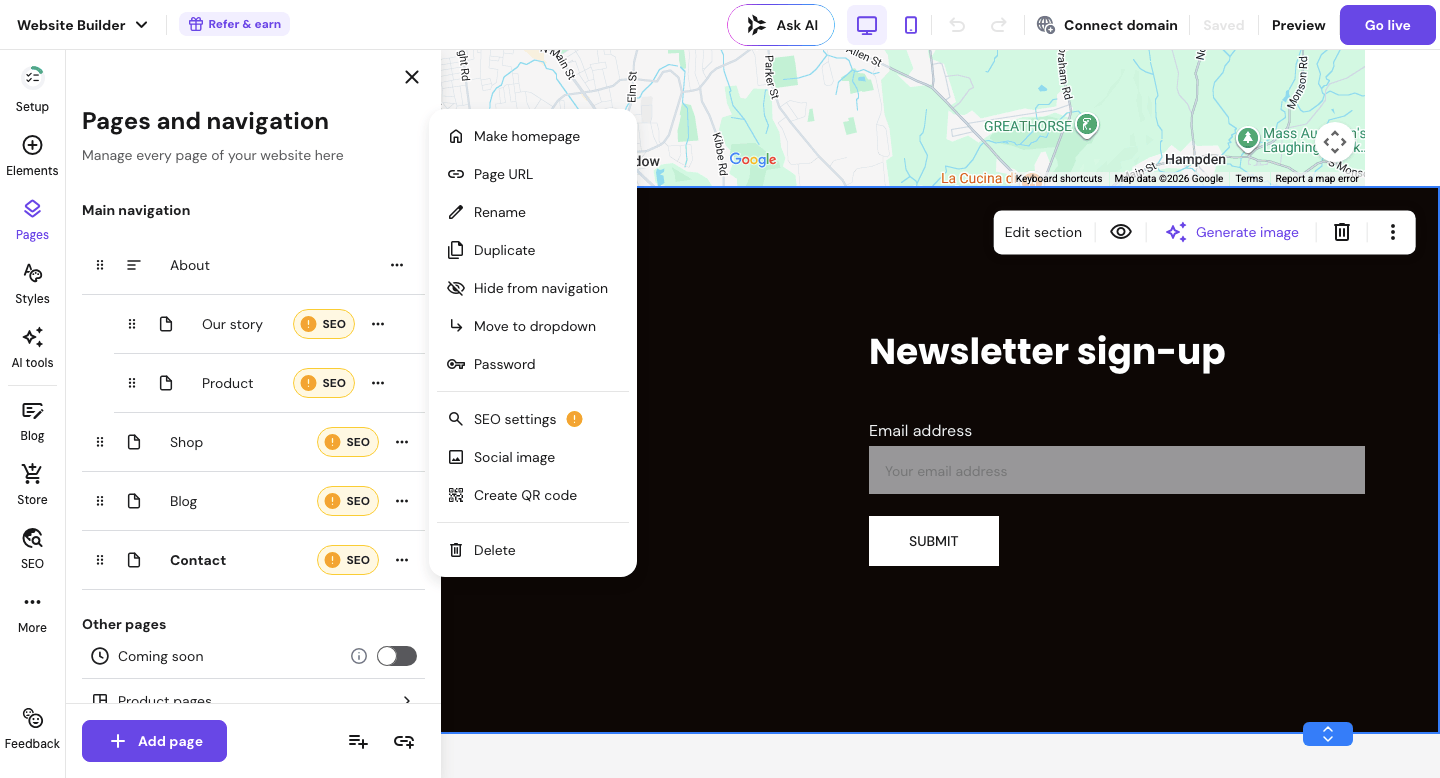
The AI-powered editor makes setup surprisingly fast — you can have a basic site with a contact form live in under an hour. That’s not a marketing claim; it genuinely takes less time than most people expect.
What it does well for lead generation:
- Built-in contact forms on every template — no plugin needed
- Simple CTA button editor with custom text and color
- Email signup forms that connect to popular tools like Mailchimp
- Mobile-optimized layouts so forms look good on phones (where a lot of your visitors actually are)
- Clean, distraction-free pages that naturally focus attention on your call to action
The catch? Hostinger’s popup tools are more limited compared to Wix. If advanced popup triggers — like exit-intent or scroll-depth popups — are important to your strategy, you’ll feel that gap.
Pricing: Starting at around $2.99/month (pricing varies by region and promotion — verify current pricing on their site before purchasing). Note that this is an introductory rate — renewal pricing is higher, so check their site for the current long-term cost.
Best for: Local service businesses, freelancers, and anyone just getting started who wants a clean, lead-ready website without spending much.
Not ideal for: Businesses that need aggressive popup campaigns or complex multi-step lead funnels.
My Verdict: For the price, Hostinger punches well above its weight on lead capture basics. If you’re building your first lead-generation website and want something that just works without a steep learning curve, this is where I’d start.
Explore Hostinger Website Builder’s plans and pricing →
Wix — Best for Lead Generation Flexibility
Wix is consistently rated among the most popular website builders for small businesses, and for lead generation specifically, it offers more tools than almost any other drag-and-drop builder.
The Wix Editor gives you granular control over where forms, buttons, and popups appear on every page. That level of control matters when you’re trying to guide a visitor toward a specific action — like booking a consultation or grabbing a free download.
What it does well for lead generation:
- Wix Forms with conditional logic (show different follow-up fields based on answers)
- Native popup builder with timing and scroll-trigger controls
- Wix Ascend CRM built in — captures leads and lets you follow up from the same dashboard
- Hundreds of CTA templates and button styles
- App Market with tools like HubSpot, Mailchimp, and ActiveCampaign integrations
The catch? Wix’s pricing is higher than most budget builders, and some of the best lead tools (like Wix Ascend’s full CRM features) sit behind higher-tier plans. You can absolutely start on the basic plan, but expect to upgrade as your needs grow.
Pricing: Starting at around $17/month (billed annually — verify current pricing on their site).
Best for: Growing businesses, service providers running active marketing campaigns, or anyone who wants to scale their lead capture over time.
Not ideal for: Absolute beginners on a tight budget who just need a simple form and a contact page.
My Verdict: Wix gives you the most complete lead generation toolkit of any drag-and-drop builder at this price range. If you’re serious about converting traffic and want room to grow, the investment makes sense.
See Wix’s business plans and lead generation tools →
Quick Comparison: Best Website Builder for Lead Generation
Quick reference — scroll horizontally on mobile, or click platform names to jump to full reviews.
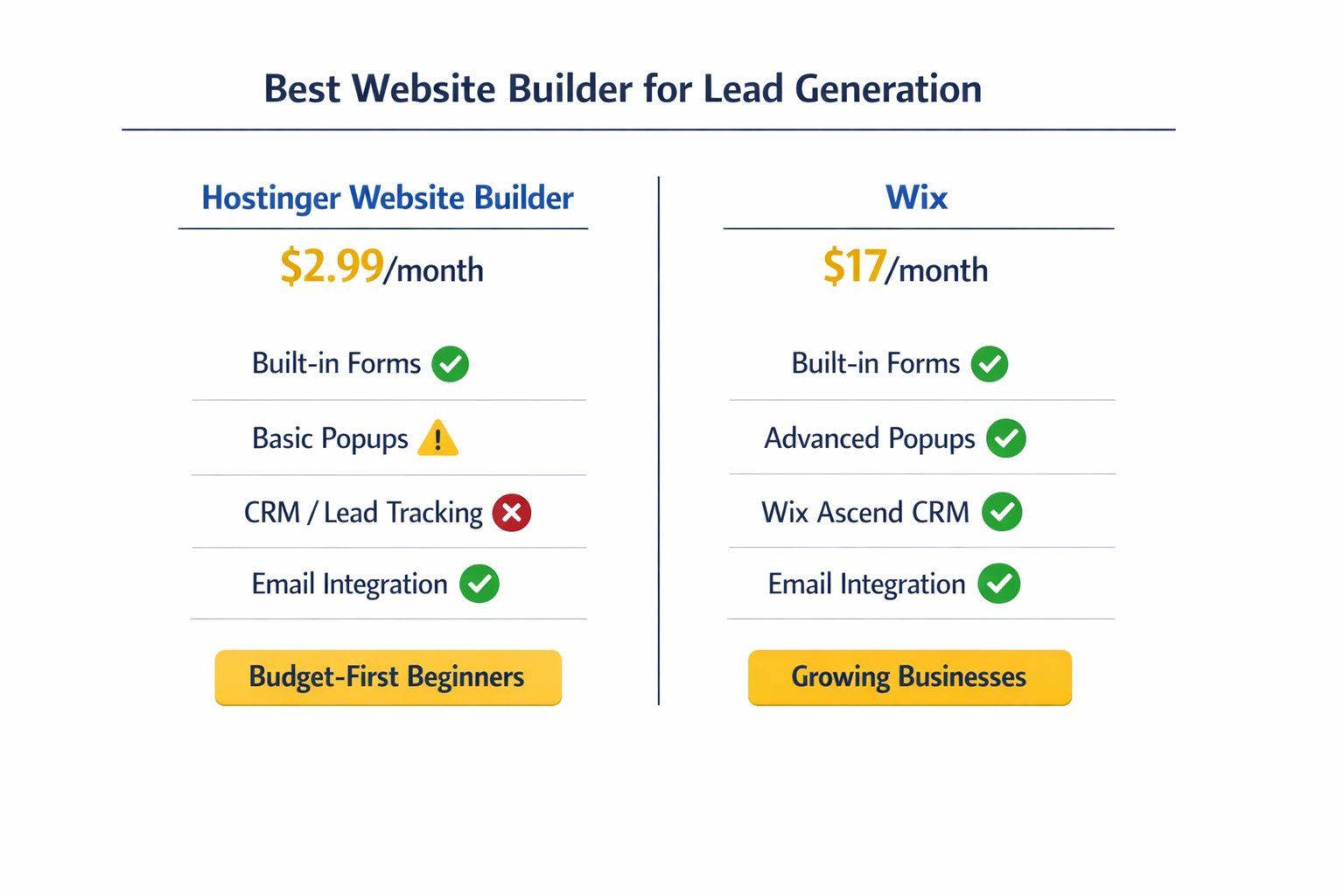
| Feature | Hostinger | Wix |
|---|---|---|
| Starting price | ~$2.99/month | ~$17/month |
| Built-in contact forms | ✅ Yes | ✅ Yes |
| Popup builder | ⚠️ Basic | ✅ Advanced |
| CRM / lead tracking | ❌ Limited | ✅ Wix Ascend |
| Email list integration | ✅ Mailchimp + others | ✅ Multiple options |
| Best for | Budget-first beginners | Growing businesses |
Common Mistakes When Setting Up a Lead Generation Website
1. Burying the contact form at the bottom of the page
This one catches a lot of business owners off guard. Visitors don’t scroll to the bottom looking for your form — they expect to see a clear next step near the top. Put your primary CTA or form above the fold, or at least repeat it in a sticky header or popup.
Fix: Add a CTA button in your navigation bar or hero section that links directly to your form.
2. Using vague button text
“Submit” and “Click Here” don’t tell anyone what they’re getting. Many business owners set up forms and never update the default button text — it’s an easy detail to miss.
Fix: Replace generic text with action-specific phrases: “Get My Free Quote,” “Book a 20-Minute Call,” or “Send Me the Checklist.”
3. Not connecting the form to your email tool
A form that sends leads to a folder you never check — or worse, doesn’t connect to your email marketing tool — is a lead generation dead end. This is one of the most common setup gaps.
Fix: Connect your form directly to Mailchimp, ConvertKit, or whichever email tool you use. Both Hostinger and Wix support this. If you’re not sure how, the guide on how to connect your website to an email list walks through the process step by step.
4. Skipping the thank-you page
When someone submits a form and nothing visible happens, they don’t know if it worked. That’s a bad first impression.
Fix: Set up a simple thank-you redirect — even a short “Got it! I’ll be in touch within 24 hours” message builds trust immediately.
5. Forgetting mobile
Over half of website visitors browse on their phones. A form that looks clean on desktop can be almost impossible to fill out on a small screen.
Fix: Preview your site on mobile in your builder’s editor before publishing. Both Hostinger and Wix have mobile preview modes — use them.
Next Steps (Do This in the Next 24–48 Hours)
- Pick one builder and set up your first form. Don’t overthink it — a simple name + email + message form is enough to start. Hostinger takes under an hour to get live; Wix might take two, but gives you more options from the start.
- Connect your form to your email tool. Even a free Mailchimp account works. Every lead you capture should land somewhere you’ll actually see it. The guide on the best website builder with email marketing integration can help you choose the right pairing.
- Add one clear CTA above the fold. Before you do anything else, make sure your homepage tells visitors exactly what you want them to do next — and makes it easy.
FAQ
What is the best website builder for lead generation for small businesses?
For most small business owners, Hostinger Website Builder and Wix are the strongest options. Hostinger wins on affordability and simplicity — it’s great if you’re just starting out and want built-in forms and CTA tools without a steep learning curve. Wix is the better pick if you want more advanced popup controls, a built-in CRM, and room to scale your lead capture strategy.
How much does a lead generation website builder cost?
Pricing varies quite a bit. Hostinger starts at around $2.99/month, making it one of the most affordable options with real lead tools included. Wix starts at around $17/month. Both offer annual billing discounts — always check current pricing directly on their sites, as promotions change frequently.
Do I need a special plan to get lead capture tools?
Not always. Both Hostinger and Wix include basic contact forms and CTA tools on entry-level plans. For more advanced features — like Wix’s full Ascend CRM or deeper email automation — you may need to upgrade. Start with the base plan, test what you need, and upgrade only when you hit a real limit.
Can I capture email subscribers directly from my website builder?
Yes — both Hostinger and Wix let you add email signup forms that connect to tools like Mailchimp, ConvertKit, and others. This is one of the most valuable lead generation features available. If you want a deeper look at how this works, the website and email marketing all-in-one guide covers the full setup.
I’m not technical at all. Will I be able to set this up myself?
Absolutely. Both builders are designed specifically for people without coding experience. Hostinger’s AI-powered setup is particularly beginner-friendly — you answer a few questions, and it generates a starter site you can customize. Expect to spend 1–3 hours getting a basic lead-ready site live, including form setup.
Do website builders have popup tools built in?
Wix has a solid native popup builder with timing and scroll triggers. Hostinger’s popup options are more basic. If popups are central to your lead strategy, Wix has the edge here. That said, a well-placed static form often converts just as well as a popup — don’t feel like you need complex tools to get results.
What’s the difference between a contact form and a lead capture form?
A contact form is typically used for general inquiries — name, message, send. A lead capture form is more intentional — it’s designed to collect specific information (like email or phone number) in exchange for something of value, like a free quote, a checklist, or a booking. The builder is the same; the strategy behind the form is what changes.
Should I use popups or inline forms for lead generation?
Both work — it depends on context. Inline forms (placed naturally within your page content) tend to convert better for warm visitors who are already reading. Popups can catch people before they leave, but they need to be timed well or they feel intrusive. A good starting point: one inline form in your hero section, one in your footer, and a simple exit-intent popup if your builder supports it.