
The Best Website Builder for Non-Technical Users — No Coding, No Stress

A website builder for non-technical users has come a long way — and if you’ve been putting off building your business site because it feels too technical, that hesitation is completely understandable. A few years ago, it kind of was too technical. Today, the best tools handle the hard parts for you: layout, hosting, mobile design, even SEO basics. You pick a template, swap in your content, and you’re live.
No code. No design degree. No developer needed.
Quick Answer
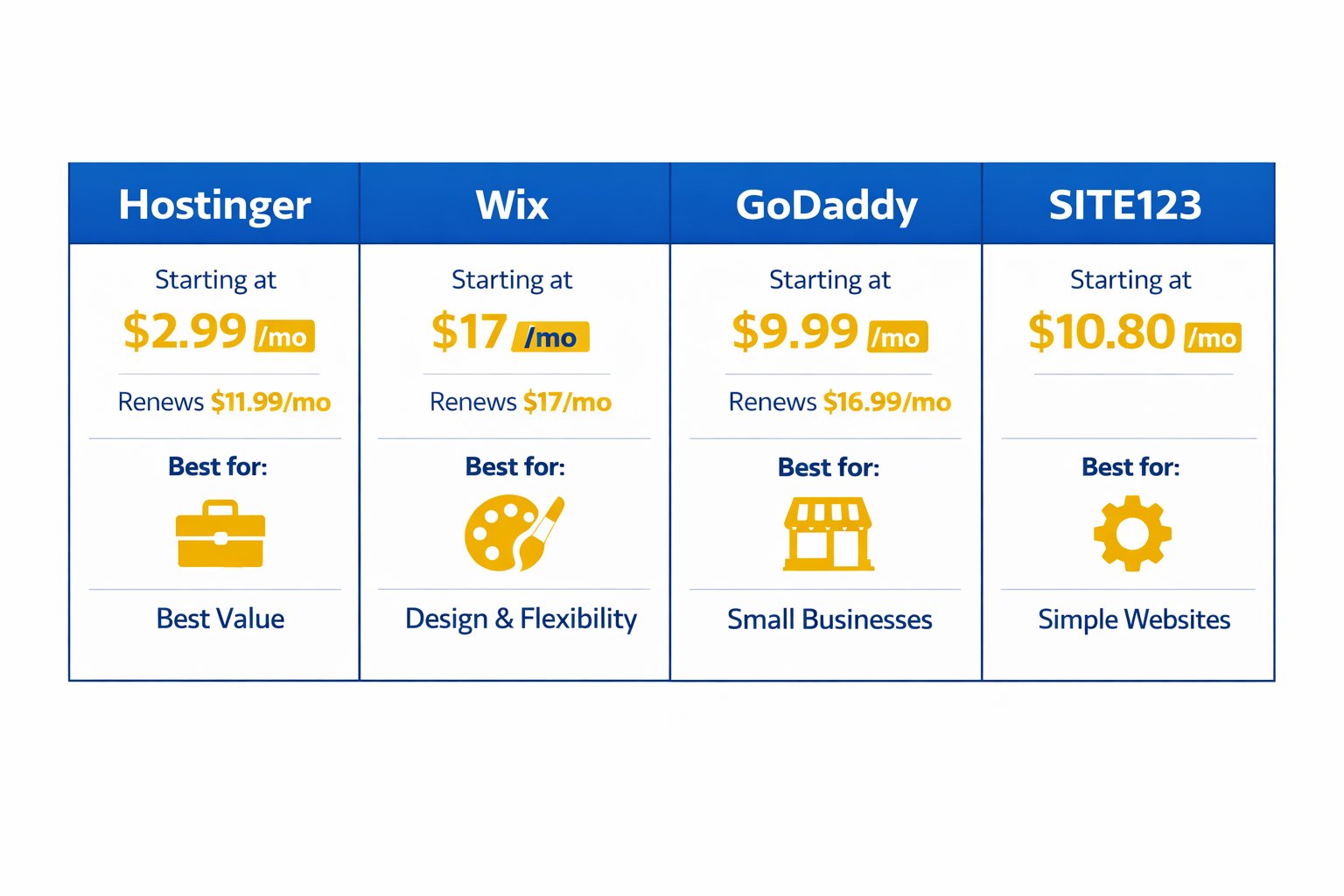
The four easiest website builders for non-technical small business owners in 2026 are Hostinger (best value, starting at $2.99/month), Wix (most flexible, starting at $17/month), GoDaddy (fastest setup, starting at $9.99/month), and SITE123 (simplest of all, starting at $10.80/month). If you want one recommendation: Hostinger gives you the most for the least — and it’s the one I’ve used myself for over two years.
Affiliate disclosure: Some links in this article are affiliate links. If you sign up through them, I may earn a small commission at no extra cost to you. I only recommend tools I’ve actually used or thoroughly researched.
What to Look for in a Website Builder for Non-Technical Users
Before jumping into the tools, it’s worth knowing what to look for — because not every “easy” builder is equally beginner-friendly.
A truly non-technical website builder should tick these boxes:
- Drag-and-drop editor — move elements by clicking and dragging, no code involved
- Ready-made templates — professionally designed starting points so you’re not staring at a blank page
- Built-in hosting — no separate server setup required; everything lives in one place
- Guided setup — the tool walks you through the first steps so you’re not left guessing
- No coding required — ever, for any core task
The platforms below check every one of those boxes. The differences come down to price, flexibility, and how fast you can get live.
Hostinger Website Builder — Best Value for Beginners
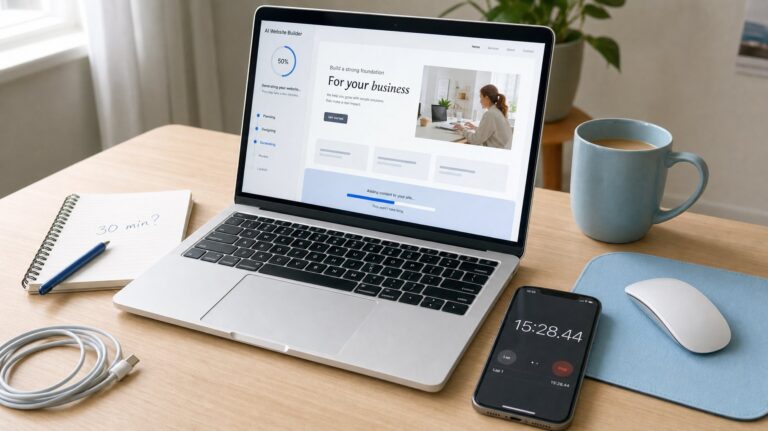
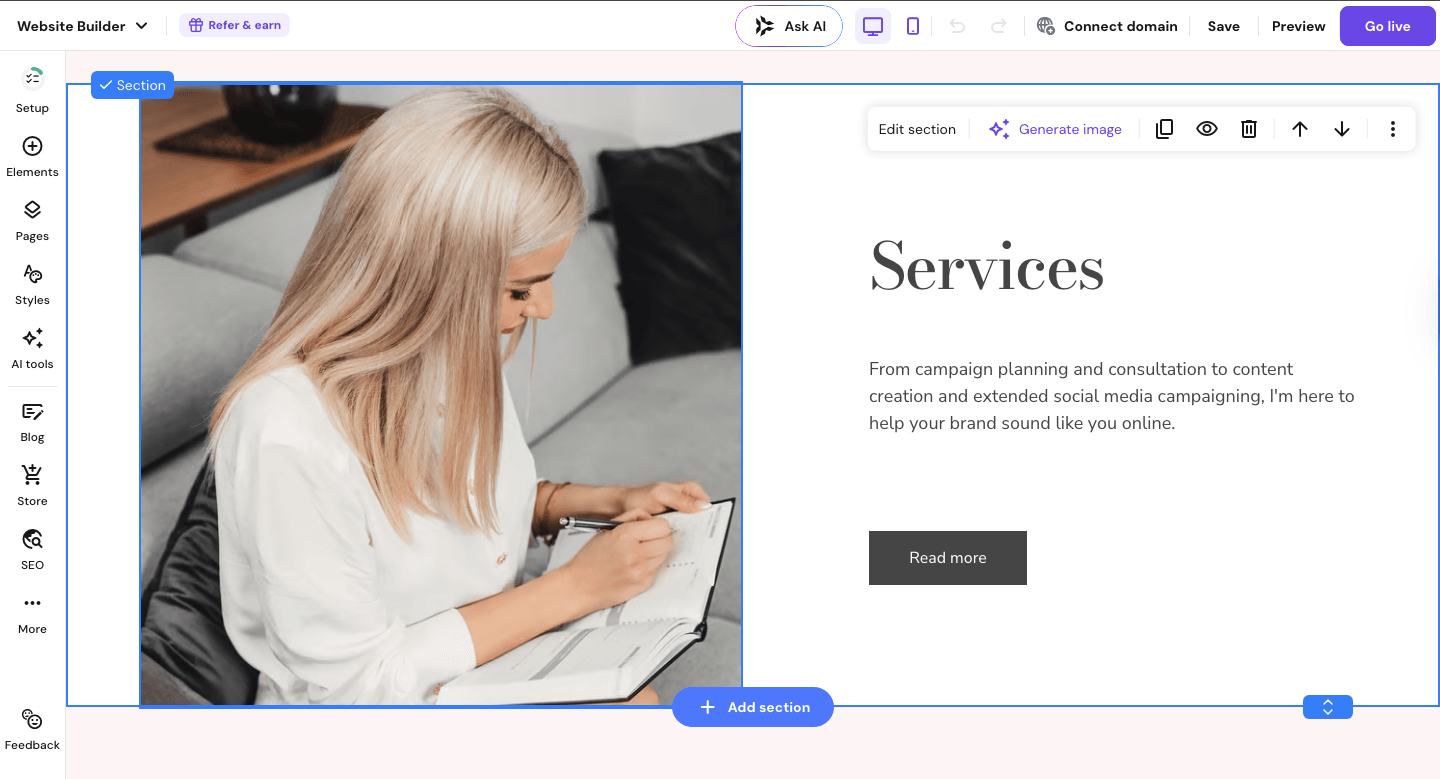
Getting a real business site live for under $3/month felt almost too good to be true when I first tried Hostinger’s website builder. More than two years in, it still delivers. The drag-and-drop editor is clean and intuitive, and the AI-powered setup wizard can generate a first draft of your site — layout, copy, and all — in a couple of minutes. That alone saves most beginners hours of staring at a blank screen.
Key Features:
- AI website builder that drafts your site based on your business type
- Drag-and-drop editor with full layout flexibility
- 150+ mobile-responsive templates
- Built-in SEO tools, analytics, and a free domain for the first year
- Online store functionality on both plans (great if you sell products or take bookings)
Pricing:
- Premium Plan: starting at $2.99/month (48-month plan) — renews at $11.99/month
- Business Plan: starting at $3.99/month (48-month plan) — renews at $13.99/month
Pros:
- Genuinely the most affordable option with a full feature set
- AI assistant removes the “where do I even start?” problem
- Clean editor that doesn’t overwhelm beginners
Cons:
- Fewer third-party integrations than Wix
- Template library is smaller than competitors
- Introductory price jumps to $11.99–$13.99/month at renewal
Best for: Small business owners who want a professional-looking site fast, at the lowest possible cost.
Not for: Businesses that need heavy third-party app integrations or large e-commerce catalogues.
My Verdict: Hostinger is the easiest on-ramp to getting your business online. The AI setup, the price, and the no-fuss editor make it the right starting point for most non-technical owners. It’s the tool I keep coming back to on my own projects, and it’s what I recommend first.
Try Hostinger’s website builder and see their current plans
Wix — Most Flexible Beginner-Friendly Builder
Wix has built its reputation on giving non-technical users genuine design freedom — and that reputation is well-earned. The editor lets you place elements anywhere on the page, not just in fixed rows and columns. That flexibility is rare at this price point and makes it easy to create a site that actually looks like your brand, not a generic template.
Key Features:
- Pixel-perfect drag-and-drop editor with freeform placement
- 900+ templates across almost every industry
- Wix ADI (AI Design Intelligence) for automated first-draft setup
- Built-in blogging, booking tools, and basic e-commerce
- Massive app market for adding functionality as your business grows
Pricing:
- Light Plan: $17/month (includes custom domain and 2 GB storage)
- Core Plan: $29/month (adds e-commerce and more storage)
Pros:
- Most design freedom of any beginner builder
- Enormous template library with genuinely great designs
- Scales well — you won’t outgrow it quickly
Cons:
- Once you choose a template, switching it requires rebuilding from scratch
- The app market is powerful but can get overwhelming
- Pricier than Hostinger for equivalent basics
Best for: Business owners who care about design, want lots of customisation options, and plan to grow their site over time.
Not for: Owners who want the absolute simplest experience with zero decisions to make.
My Verdict: Wix consistently earns its place at the top of beginner-friendly builders for good reason. It’s flexible enough to grow with your business but simple enough to get started without any technical background. If you want creative control without coding, this is the one.
Explore Wix’s plans and pricing to find the right fit
GoDaddy Website Builder — Fastest Path to Going Live
GoDaddy’s website builder is built around one idea: get you online as fast as possible. The setup is streamlined to the point where you can have a presentable business site live in under an hour — even your first time. If you already have your domain through GoDaddy, connecting everything is literally one click.
Key Features:
- Guided setup tied directly to your industry type
- Built-in marketing tools: email marketing and social media posting from one dashboard
- Appointment booking and contact forms included on all paid plans
- Mobile editor for on-the-go updates
- 24/7 customer support (a genuine plus for non-technical users)
Pricing:
- Basic: starting at $9.99/month (annually) — renews at $16.99/month
- Premium: starting at $14.99/month (annually) — renews at $29.99/month
- Commerce: starting at $20.99/month (annually) — renews at $34.99/month
Pros:
- Fastest setup of any builder on this list
- Strong built-in marketing and appointment tools
- Round-the-clock support is genuinely accessible
Cons:
- Less design flexibility than Wix or Hostinger
- Renewal prices are noticeably higher than introductory rates
- Templates feel more functional than creative
Best for: Service-based businesses (consultants, hair salons, tradespeople) who already use GoDaddy for their domain and want a simple, all-in-one setup.
Not for: Anyone who wants unique branding or significant design customisation.
My Verdict: GoDaddy is purpose-built for speed and simplicity. It’s not the most polished tool on this list, but if you just need a clean, functional site up and running today — especially paired with GoDaddy domain registration — it does that job well.
Check GoDaddy Website Builder’s plans and features
SITE123 — Simplest Editor for True Beginners
SITE123 earns its place on this list by being the most stripped-back, no-decisions-required builder available. Where other tools offer dozens of layout choices, SITE123 guides you through a handful of clear steps and produces a clean, functional website without overwhelming you. It’s the closest thing to “just answer a few questions and your site is ready.”
Key Features:
- Step-by-step guided builder — no blank-page panic
- 180+ responsive templates covering most small business categories
- Free plan available (with SITE123 branding)
- Multilingual site support — useful for businesses serving multiple regions
- 24/7 live chat support on all plans
Pricing:
- Free plan: available (SITE123 branding, no custom domain)
- Basic paid plan: starting at $10.80/month (annual plan, paid upfront)
Pros:
- Genuinely the simplest editor experience — ideal if other tools feel overwhelming
- Free plan lets you test before committing
- Multilingual support is a bonus few other beginner tools offer
Cons:
- Limited customisation compared to Wix or Hostinger
- No access to source code (hard cap on advanced changes)
- Free plan has visible SITE123 branding
Best for: Absolute beginners who’ve never built a website and want the most guided, low-stress experience possible.
Not for: Business owners who want to customise the look and feel beyond the basics.
My Verdict: SITE123 won’t win on features, but it wins on simplicity. If you’ve tried other builders and felt lost, SITE123’s step-by-step approach removes almost every friction point. Think of it as a gentle on-ramp to getting online.
Visit SITE123 to explore their free plan and paid options
Quick Comparison
Quick reference — scroll horizontally on mobile, or click platform names to jump to full reviews.
| Platform | Starting Price | Best For |
|---|---|---|
| Hostinger | $2.99/month | Best value, AI-assisted setup |
| Wix | $17/month | Design flexibility, scalability |
| GoDaddy | $9.99/month | Fastest setup, service businesses |
| SITE123 | $10.80/month | Absolute beginners, simplest editor |
Common Mistakes Non-Technical Business Owners Make (And How to Fix Them)
1. Picking the Cheapest Option Without Checking the Renewal Price
Many business owners sign up for an attractive introductory rate — $2.99/month sounds great — and then get surprised when renewal hits at $11.99/month. This catches most people off guard. Fix: Before you commit, check the renewal rate on the pricing page. Most builders display it, but it’s easy to miss. Budget for the renewal cost, not the signup price.
2. Choosing a Template Based on How Pretty It Looks, Not What It Does
It’s easy to fall in love with a template that looks stunning but wasn’t designed for your type of business. A photography portfolio template isn’t built to show service packages or take bookings. Fix: Filter templates by your industry first, then choose based on the layout structure — not just the colours and fonts.
3. Skipping Mobile Preview Before Publishing
A site that looks perfect on a desktop can look broken on a phone. Many business owners skip this step entirely because they built the site on a laptop. Fix: Use your builder’s mobile preview before going live. On Wix and Hostinger, there’s a dedicated mobile view button in the editor — check it every time you make a major change.
4. Ignoring the SEO Basics on Day One
Non-technical users often skip the SEO settings because they sound complicated. The result is a site that Google can’t find. Fix: You don’t need to understand SEO deeply to start — just fill in the page title and meta description fields for every page. Every builder on this list has a simple SEO settings panel. It takes five minutes and makes a real difference.
5. Overbuilding Before Launching
Many business owners spend weeks tweaking fonts and colours, waiting until the site is “perfect” before going live. Fix: Aim for a good-enough launch in 48 hours, then improve. A live site that needs work beats a perfect site still in draft.
Next Steps (Do These in the Next 48 Hours)
- Pick one builder and start a free trial or free plan. Don’t research forever — all four tools above are solid choices. If you’re unsure, start with Hostinger’s free trial. Most beginners have a working draft within 2–3 hours.
- Use the AI setup wizard if available. Both Hostinger and Wix offer AI-assisted first drafts. Let it generate a starting point, then edit from there. It removes the hardest part of getting started.
- Publish something, even if it’s not finished. A homepage with your business name, what you do, and a contact method is enough to start. You can add pages, refine copy, and improve the design over time.
If you’re still comparing options, the best website builder for small business guide covers a broader set of tools with deeper detail on features and pricing. And if you’re torn between DIY and hiring someone, the website builder vs hiring a web developer breakdown will help you decide.
FAQ
Q: Can I really build a business website with no coding experience?
Yes — all four builders on this list are designed specifically for people with zero coding background. The editors work like drag-and-drop tools, and setup wizards guide you through each step. Most non-technical business owners have a working site ready within a few hours. No developer, no course, no technical knowledge required.
Q: How much does a website builder cost for a small business?
Introductory pricing ranges from $2.99/month (Hostinger, 48-month plan) to $17/month (Wix). Renewal rates are higher — typically $11.99–$17/month depending on the platform and plan. Always check the renewal rate before signing up. Most builders include hosting, a free domain for the first year, and SSL in the price.
Q: Is there a free website builder I can try first?
Yes. SITE123 offers a genuinely functional free plan, though your site will show SITE123 branding and you can’t connect a custom domain. Wix also has a free tier. These free plans are great for testing the editor before you commit — but for a professional business site, a paid plan is worth it for the custom domain alone.
Q: What’s the easiest website builder for a complete beginner?
SITE123 has the most guided, step-by-step setup — it’s built for people who’ve never touched a website editor. Hostinger’s AI wizard is a close second and is more powerful overall. If you want something in between simplicity and flexibility, Hostinger is the better long-term choice for most small business owners.
Q: Do these website builders work on mobile devices?
Yes — all four builders produce mobile-responsive websites automatically, meaning your site adjusts to fit any screen size without extra work from you. Wix and Hostinger also have mobile editor views so you can check and adjust how things look on phones before publishing.
Q: How long does it take to build a website with these tools?
For a simple 3–5 page business site (homepage, about, services, contact), expect 2–4 hours for a first draft using a template and AI assist. A polished, fully written site might take a weekend. The point isn’t speed — it’s that you don’t need any prior experience to get there.
Q: Will my website show up on Google?
All four builders include basic SEO tools. Your site will be indexable by Google, but ranking takes time and depends on your content. Start by filling in each page’s SEO title and meta description in the platform’s settings panel — that’s the single most impactful thing a non-technical owner can do from day one. For more, the how to choose a website builder guide covers SEO features in more detail.
Q: What if I want to switch builders later?
Switching is possible but not seamless — you’ll typically rebuild your site from scratch on the new platform rather than importing it. That’s why it’s worth choosing carefully upfront. Use the free trials available on most platforms to test the editor before committing. The easiest website builder for beginners guide can help you narrow down your shortlist.